


Overview
Diagnosing socket states and tracing open communication channels sits at the core of effective Linux system troubleshooting. While legacy toolsets like netstat were once ubiquitous, the modern Linux ecosystem relies on the significantly faster and more capable ss utility. In this hands-on walkthrough, we dive into leveraging ss to inspect active connections, monitor listening services, identify bind ports, and correlate network sockets with their controlling process IDs.
1. Preparing the Environment and Inspecting Global Socket Statistics
The ss command-line utility ships out of the box with the iproute2 package on modern Ubuntu distributions. Begin by updating the local package index and ensuring iproute2 is fully installed and up to date.
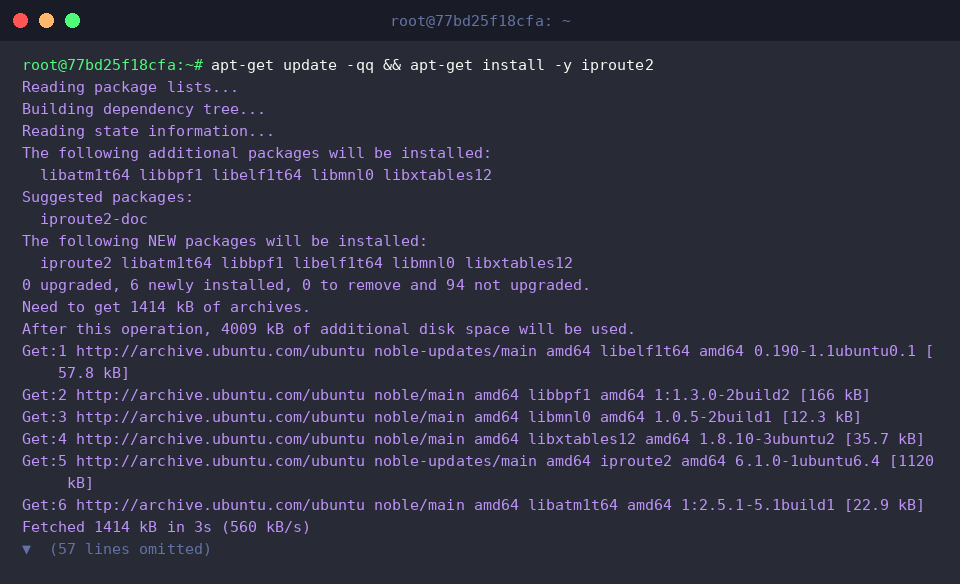
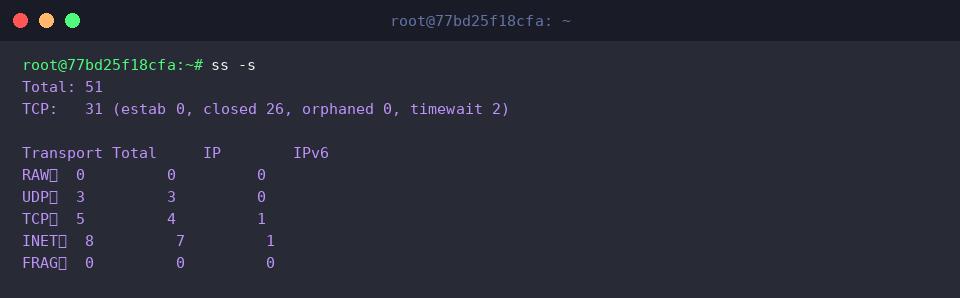
Unlike older utilities that read directly from /proc/net, ss extracts socket data directly from Linux kernel space, resulting in dramatically faster query performance under heavy traffic loads. Running the utility with the -s flag generates a high-level summary matrix of every socket currently tracked by the kernel.
⚙️ [Essential Command-Line Flags]
-s : Dumps comprehensive aggregate metrics across all socket domains (TCP, UDP, RAW, and UNIX sockets).-t : Filters output exclusively for TCP traffic.-u : Isolates datagram sockets operating over UDP.-l : Restricts results to listening sockets awaiting incoming handshakes.-a : Displays all socket entries across the board, combining listening listeners and active sessions.-n : Disables reverse DNS and service resolution, displaying raw numeric ports and IP addresses instead.-p : Resolves and displays the associated executable name along with its OS process identifier (PID).
2. Deploying a Test Web Daemon and Auditing Listening TCP Endpoints
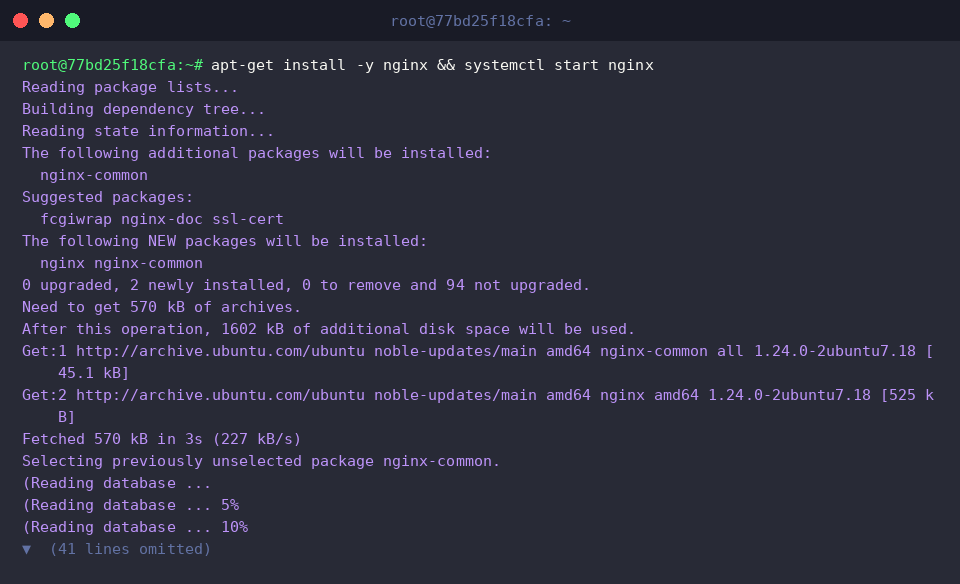
To evaluate real-world port monitoring in action, deploy the lightweight Nginx web server and spin up its systemd unit immediately.
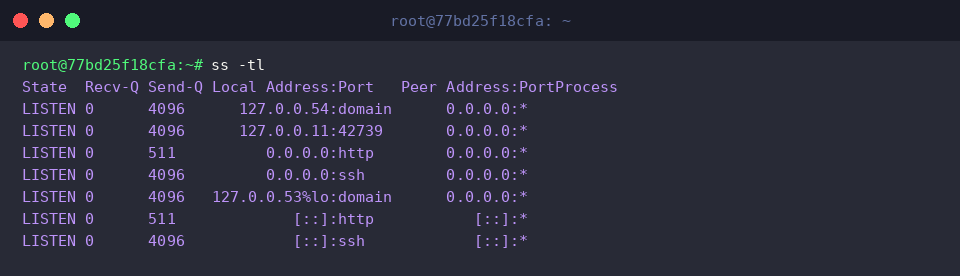
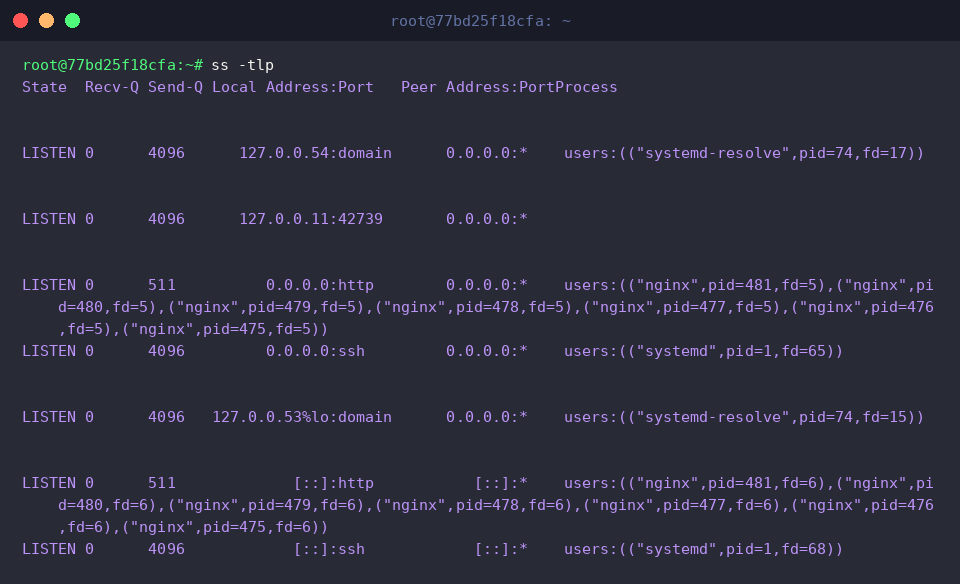
Executing ss -tl enumerates all passive TCP sockets primed for inbound client traffic, mapping common port allocations to standardized service identifiers such as http, ssh, or domain.
The resulting output confirms that the freshly spawned Nginx server is actively bound and listening for requests on the standard HTTP port.
By appending the numeric modifier flag -n to form ss -tln, the output bypasses /etc/services name lookups and directly renders literal network endpoints.
This transforms symbolic tags like http into 80 and ssh into 22, delivering clean numerical clarity essential for firewall verification and script automation.
3. Correlating Network Ports with PIDs and Daemon Binaries
Invoking ss -tlp exposes the underlying process topology, directly binding each listening TCP endpoint to its parent binary and operating system process ID.
The Process column maps out ownership details, clearly showing how background daemons like Nginx and core system units managed by systemd occupy their designated ports.
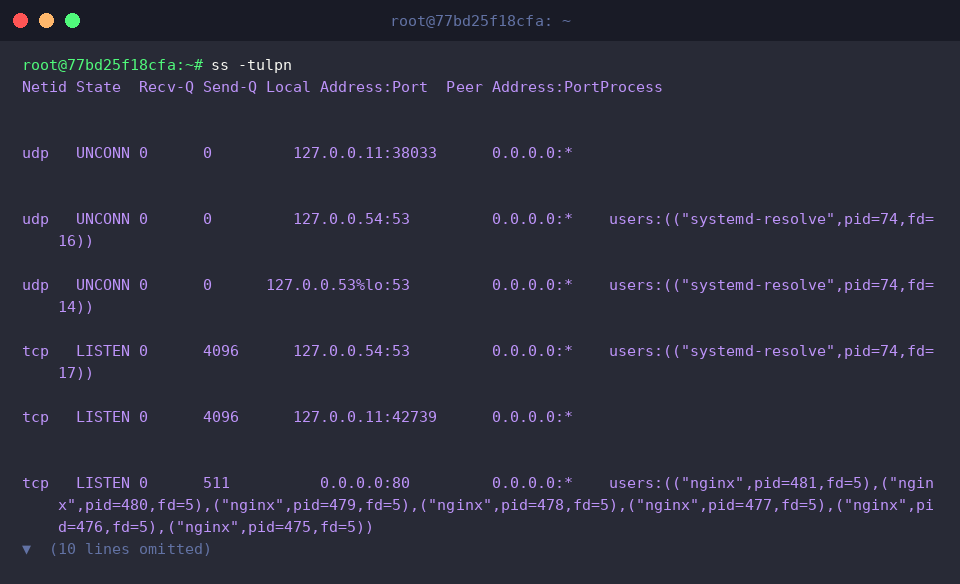
For a complete infrastructure audit, the command ss -tulpn aggregates listening TCP and UDP sockets alike into a unified numerical overview featuring process-level attribution.
This single execution lets systems engineers quickly audit listening daemons—such as Nginx on port 80, OpenSSH on port 22, and systemd-resolved on port 53—complete with their respective PIDs.
4. Tracking Established Connections and Applying Granular Socket Filters
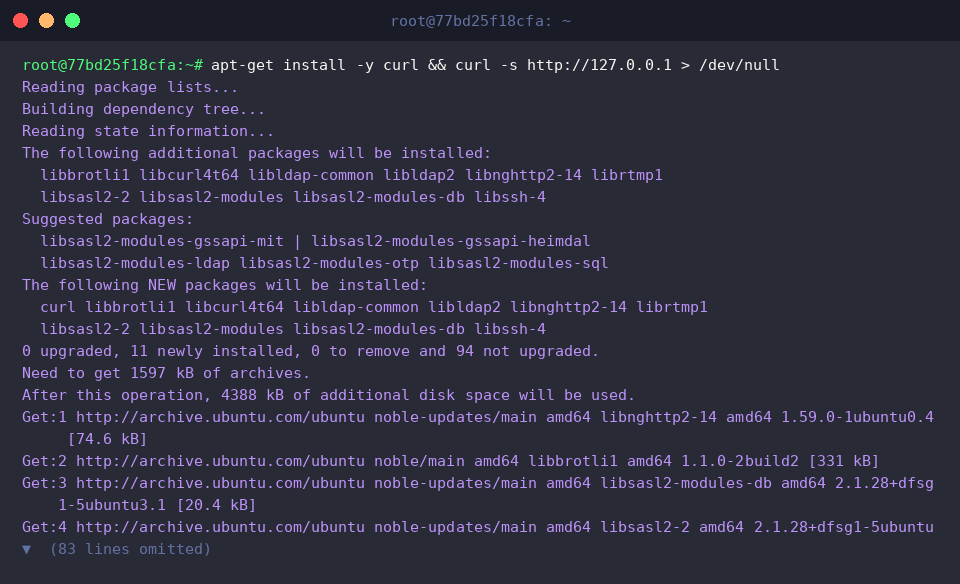
To observe live session transitions, install curl and dispatch an HTTP transaction targeting the local loopback interface.
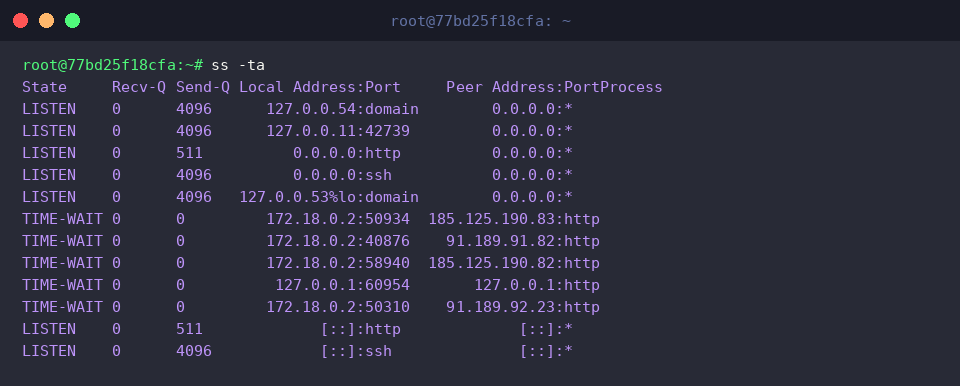
Running ss -ta exposes the entire TCP session landscape, spanning both persistent listening endpoints and transient socket lifecycles such as connections parked in the TIME-WAIT phase following packet teardowns.
In the terminal output, the brief loopback transaction triggered against 127.0.0.1:http appears captured in this transient TIME-WAIT teardown phase.
To zoom in on live data streams, ss -t state established filters TCP entries strictly down to active sessions in the ESTABLISHED state.
Because the preceding curl test closed its socket immediately after reading the payload, no active established sockets persist on the loopback device.

For targeted inspections on busy servers hosting hundreds of concurrent connections, source port filters like ss -tln 'sport = :80' isolate endpoints bound to port 80 with pinpoint accuracy.
This selective filtering allows operators to bypass socket noise and focus directly on the health of specific services such as Nginx.

The ss utility offers a faster, more granular, and resource-efficient approach to auditing Linux network behavior than deprecated command sets ever could.
Mastering these parameters provides a robust foundation for day-to-day server diagnostics, service monitoring, and incident triage in modern Ubuntu environments.