


Overview
When storage alerts trigger across Linux production environments, identifying the primary culprits eating up drive capacity demands immediate action. Skipping dense man pages, this walk-through provides hands-on demonstrations covering baseline du syntax through high-yield flags essential for day-to-day systems administration.
1. Environment Setup and Fundamental du Mechanics
To build an isolated testbed with diverse payloads, initialize our sandbox hierarchy via mkdir -p /tmp/du_demo/logs /tmp/du_demo/backup && truncate -s 10M /tmp/du_demo/backup/data.bin && truncate -s 5M /tmp/du_demo/logs/app.log.

At its foundation, the du (disk usage) utility scans designated directory trees and measures true storage allocation in filesystem blocks (evaluating 1024-byte units by default). Invoking it raw yields paths paired with raw numerical block tallies.
⚙️ [Key Command Flags]
-h : Formats byte counts into human-readable metrics (K, M, G).-a : Surfaces individual files alongside directory trees.-s : Collapses output down to an aggregate summary total.-d : Sets a ceiling on directory traversal depth.-c : Appends a final cumulative summary row at the base of the scan.-b : Evaluates exact file payload lengths (apparent size) rather than allocated storage blocks.

Appended with --human-readable (-h), the output swaps raw block metrics for intuitive indicators like Kilobytes, Megabytes, and Gigabytes. This dramatically simplifies scanning through multi-tiered structures.

2. Constraining Traversal Depth and Calculating Totals (-d, -s, -c)
Before experimenting with traversal controls, generate a nested path hierarchy with sample binaries by executing mkdir -p /tmp/du_demo/nested/level1/level2 && truncate -s 2M /tmp/du_demo/nested/level1/level2/dummy.bin.

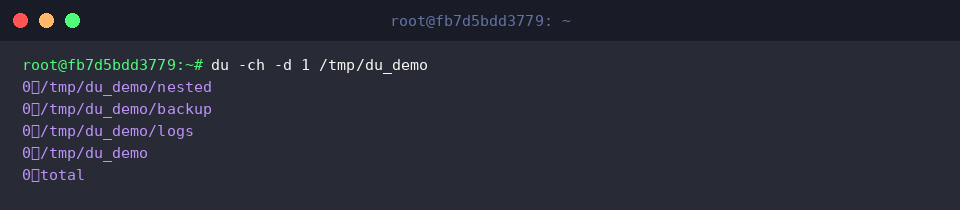
Supplying -d 1 (equivalent to --max-depth=1) instructs the engine to restrict its reporting exclusively to immediate child directories. This strategy cuts down terminal clutter significantly, letting you audit first-tier branch footprints at a glance.

When granular branch breakdowns are unnecessary, -s (--summarize) suppresses child nodes and produces a single rolled-up capacity figure. Teaming this up with -h delivers an instantaneous footprint snapshot for any target path.

Adding the -c (--total) switch instructs the tool to tally every listed node and generate an overarching total line at the very bottom. It offers a swift mechanism to weigh node-by-node expenditures against overall disk occupancy.
3. Auditing File-Level Allocations and Filtering Unwanted Patterns (-a, –exclude)
To demonstrate how exclusion filters work in practice, seed temporary placeholder files into the working directory with touch /tmp/du_demo/temp1.tmp /tmp/du_demo/temp2.tmp.

Passing -a (--all) forces the scanner past directory boundaries, reporting discrete file metrics within the stream. Combining this with -h provides clear, readable size attribution for every asset residing under /tmp/du_demo/logs.

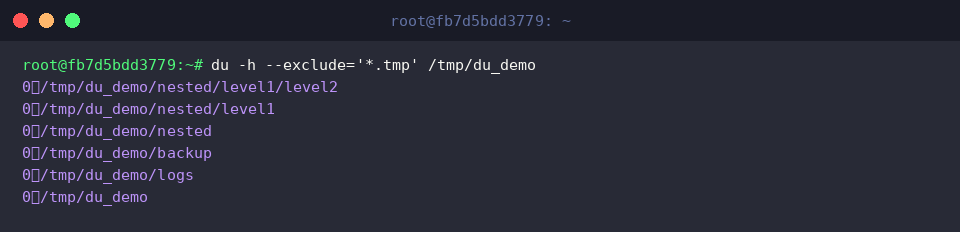
Whenever particular file extensions would skew your disk assessment, rely on --exclude to drop matching glob expressions from the math. For example, --exclude='*.tmp' discards disposable cache markers, isolating the actual disk weight of genuine system data.
4. Production Workflows: Sorting Storage Hogs and Pinpointing Jumbo Files
To simulate troubleshooting scenarios involving runaway log expansion and stale archives, expand the sandbox using truncate -s 50M /tmp/du_demo/backup/big.tar && truncate -s 20M /tmp/du_demo/logs/access.log.

Routing the output of du -h -d 1 /tmp/du_demo across a pipe (|) into sort -hr reorganizes top-level subfolders in descending order based on volume. This pipeline immediately exposes the greediest consumers within any mounted filesystem.

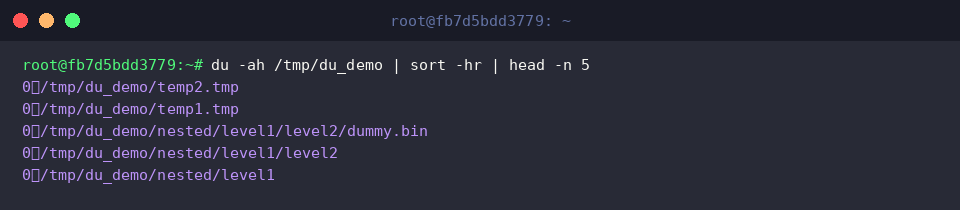
To unearth individual multi-gigabyte culprits buried across deeply nested trees, combine du -ah /tmp/du_demo with sort -hr and pipe into head -n 5. This chain isolates the five heaviest storage consumers system-wide in seconds.
With our demonstrations concluded, safely dismantle the temporary staging environment and reclaim allocated inodes by executing rm -rf /tmp/du_demo.

Equipped with these core flags and command pipelines, diagnosing storage bottlenecks and reclaiming Linux disk capacity shifts from a guessing game into an efficient, repeatable administrative routine. Integrate these patterns into your daily maintenance playbook to keep filesystems healthy and responsive.