


Introduction & Core Concepts
Establishing structured, secure user accounts alongside strict privilege separation forms the cornerstone of sound Linux systems administration. This walkthrough dives into battle-tested techniques for managing Ubuntu user lifecycles using adduser—an approachable, high-level Perl wrapper engineered to minimize human error. Along the way, we will dissect key discrepancies between adduser and its low-level counterpart useradd, explore home directory permission hardening, and review critical cleanup workflows.
Provisioning Accounts with adduser: Interactive Prompts vs. Automated Scripting
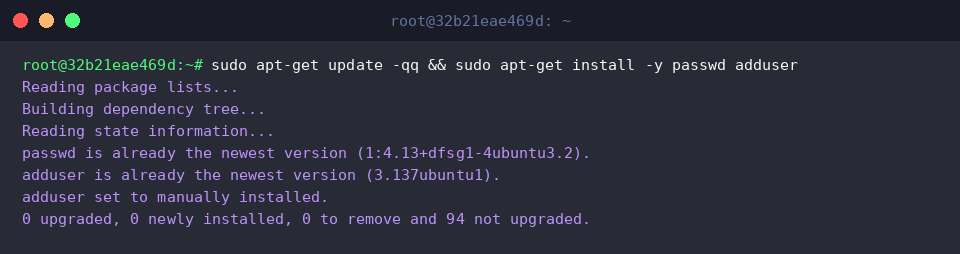
Before rolling out user configurations, verify that your machine has the necessary utility suites refreshed and provisioned:
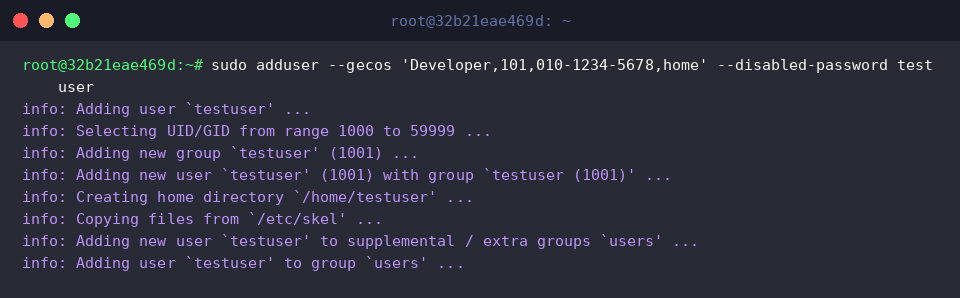
While vanilla tools require manual plumbing, adduser handles home directory initialization, default shell assignment, and skeleton file population out of the box. By passing --disabled-password alongside --gecos, administrators can bypass interactive terminal queries altogether—an ideal pattern for non-interactive automation and provisioning scripts.
⚙️ [Key Command-Line Flags]
--home DIR : Overrides the standard /home/username directory structure with a custom location.--shell SHELL : Designates an alternate initial login interpreter rather than relying on the distribution default.--gecos GECOS : Populates general contact metadata (full name, office number, extension, notes) in a single non-interactive comma-separated string.--disabled-password : Provisions the profile without assigning an active authentication secret, blocking password-based authentication until one is explicitly set.--disabled-login : Locks password login attempts and prevents interactive shell sessions entirely.--ingroup GROUP : Assigns an existing, predefined target group as the primary GID rather than generating a new private group.--system : Creates an isolated daemon identity below the standard human UID threshold, dedicated solely to background services.
The chpasswd utility reads colon-delimited user and secret combinations directly through standard input, facilitating unattended password provisioning without manual console interaction. With this pipe, we can safely set initial credentials on our newly declared testuser record.

Executing id queries the system’s identity database, displaying the target profile’s unique identifier (UID), primary group ID (GID), and all supplementary associations. Running this against testuser validates that the account attributes were successfully committed to the operating system.

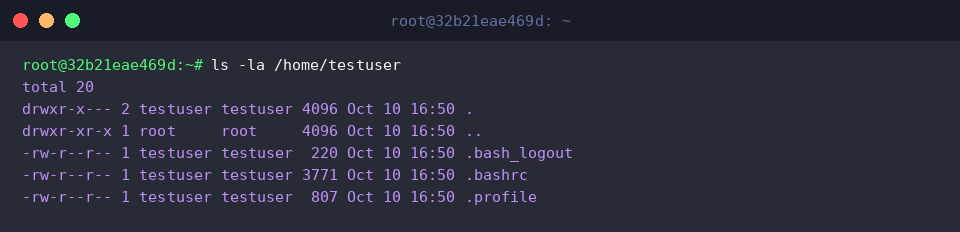
A quick look into the newly initialized home directory via ls -la confirms that baseline runtime configuration files have landed properly. Notice how configuration skeletons hosted under /etc/skel (including .bashrc and .profile) were automatically cloned with correct ownership assigned to testuser.
Managing Supplementary Groups and Delegating Sudo Privileges
To prepare our environment for secondary group delegation, we set up a dedicated team group with sudo groupadd -f devops. The -f (force) switch ensures idempotent execution—exiting gracefully without failing even if the target group already exists.

Appending an existing user to an auxiliary group on Debian and Ubuntu is remarkably straightforward with adduser. Simply supplying the username followed by the group name associates the account without needing obscure flags or nested arguments.

Granting elevated administrative access on Ubuntu centers around enrolling users in the sudo security group. Members of this group inherit permission to invoke root-level administrative directives through the sudo credential broker.

Invoking groups outputs every group membership mapped to the target profile. The output clearly reflects that both devops and sudo have been appended alongside the user’s primary group.

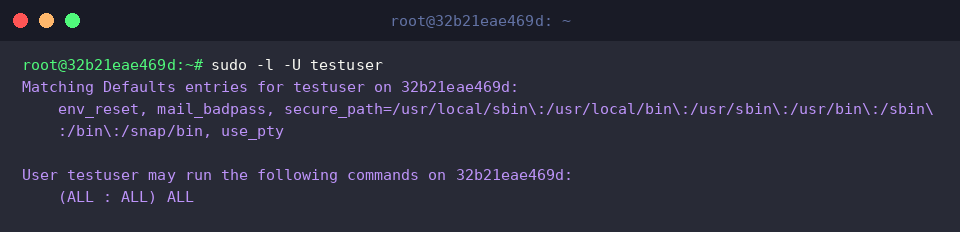
Running sudo -l -U lets administrators inspect specific sudoers privileges allocated to an account without switching user shells. The presence of (ALL : ALL) ALL corroborates that testuser possesses comprehensive superuser execution privileges across the system.
Creating Hardened System Accounts (–system) for Background Daemons
To run standalone background daemons securely under the principle of least privilege, we invoke sudo adduser --system --no-create-home --group appservice. The --system parameter allocates an identity within the reserved system range (typically UID/GID under 1000), while --no-create-home suppresses unnecessary filesystem directories, hardening the process isolation boundary.
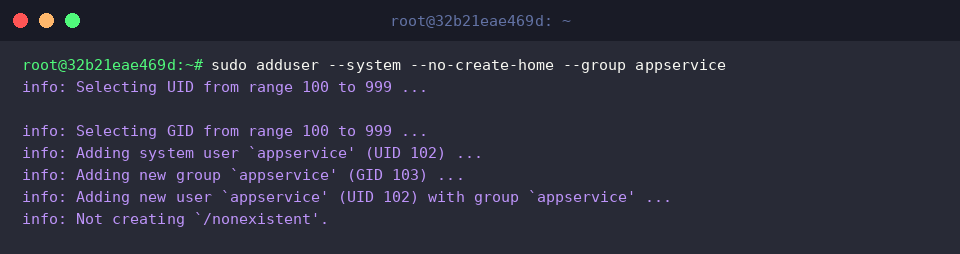
Querying the passwd database with getent passwd appservice reveals the security parameters baked into the account. The system automatically assigned a dummy home path of /nonexistent and locked interactive sessions by setting the shell entry to /usr/sbin/nologin.

Checking /etc/group confirms that our --group directive accurately spawned an identical system group (appservice with GID 103), providing dedicated access control boundaries for service assets.

A final check with id appservice confirms that the assigned identifiers (UID 102 and GID 103) reside safely within the reserved daemon range rather than the unprivileged human space (which typically starts at UID 1000).

useradd vs. adduser Differences and Safe Account Deletion Practices (deluser)
Examining /etc/adduser.conf sheds light on why Ubuntu defaults to adduser over low-level useradd. The configuration file automatically enforces secure directory modes (DIR_MODE, typically 0750 or 0700) and standard shells (DSHELL=/bin/bash), whereas raw useradd requires manual flags to populate home directories and apply hardened permissions.

When decommissioning an account, running sudo deluser --remove-home testuser purges the user entry while simultaneously wiping their personal file tree and mail spool. Leaving unmanaged orphan directories on disk poses severe permission hijacking risks if a future user inherits that UID, making --remove-home a security necessity.

To dismantle background workers, execute sudo deluser --system appservice. The inclusion of --system acts as a guardrail, ensuring the deletion logic executes only if the designated entity is truly registered as a daemon account, thereby preventing accidental drops of standard user records.

Cleaning up unused auxiliary groups keeps group databases tidy and eliminates stale access vectors. Running sudo groupdel devops 2>/dev/null || true purges the lingering group without halting execution scripts if already removed.

Running id testuser || true serves as an audit check to confirm that the profile has been successfully stricken from /etc/passwd. Any remaining output would indicate lingering active sessions, cached NSS lookups, or incomplete account purging that warrants further investigation.

This guide covered practical patterns for provisioning, elevating, and decommissioning accounts in Ubuntu using adduser and deluser. By understanding the defaults behind these tools and applying strict privilege separation, system administrators can maintain robust, reproducible, and secure server environments.