


Overview
Maintaining air-gapped Ubuntu servers where public internet access is completely blocked presents unique administrative hurdles when deploying dependencies. Under such restricted conditions, the built-in apt-cdrom utility serves as an indispensable tool for systems engineers. This hands-on walkthrough breaks down the core architecture of apt-cdrom and walks through registering installation ISOs and optical media directly into your system’s APT repository list for seamless local package management.
1. Deconstructing apt-cdrom Mechanics via Built-in Help
Running apt-cdrom --help prints the available execution syntax and command flags designed for onboarding physical disks or mounted images as verified APT package archives.
Inspecting these usage details helps administrators understand how offline Ubuntu ISO contents are structured and safely committed into /etc/apt/sources.list on isolated hosts.
⚙️ [Essential Command Flags]
add : Traverses the designated media target, extracts package indices, and appends a valid local repository entry to APT configuration files.ident : Scans the volume to compute and display its unique disc signature and identification label.-d, --cdrom : Overrides default mount conventions to target a custom optical drive path or loop-mounted ISO location.-m, --no-mount : Prevents the utility from attempting automatic mounting or unmounting cycles, relying entirely on existing filesystem mounts.-f, --fast : Accelerates extraction routines by bypassing exhaustive package integrity checks across the disc.-a, --thorough : Instructs the parser to conduct an in-depth directory tree search to locate obscure package manifests.
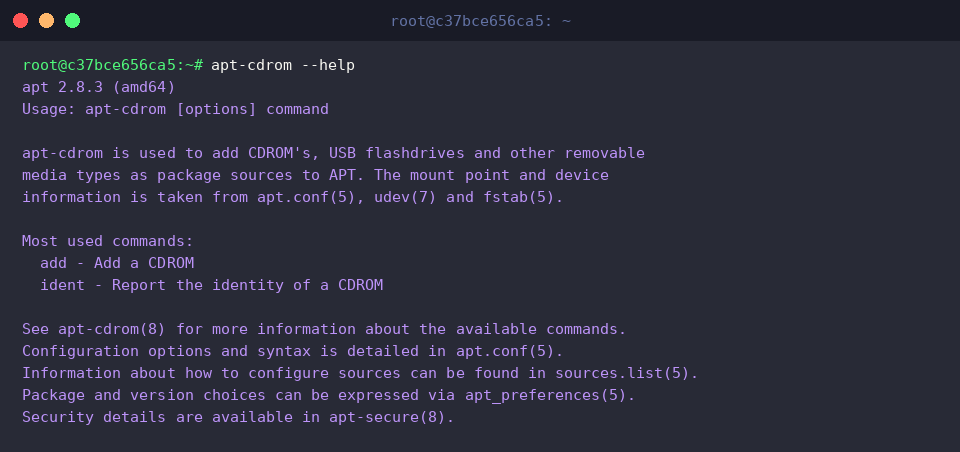
2. Setting Up Mount Points and Verifying Disc Signatures (ident)
Prior to querying storage media, establish a standardized directory destination for the optical device by running sudo mkdir -p /media/cdrom.

Executing sudo apt-cdrom -d /media/cdrom ident probes the target path (/media/cdrom) to inspect disc metadata and generate unique volume identifiers before committing entries into system repositories.
The terminal output demonstrates the utility mounting the filesystem to inspect label tags and confirm the consistency of the underlying optical disc or ISO structure.

3. Registering Air-Gapped Media into APT Repositories via apt-cdrom add
Running sudo apt-cdrom -m -d /media/cdrom add instructs APT to scan an already mounted filesystem at /media/cdrom without triggering remount events (-m), cataloging any discovered binary packages into the repository index.
The recorded console output illustrates the command initializing repository registration against the specified mount point (/media/cdrom/).

To verify whether the offline entry was successfully appended to the APT configuration, inspect the file contents using grep 'cdrom:' /etc/apt/sources.list.
In the terminal capture below, no matching records appear, indicating that the media lacked a valid package release tree and was therefore excluded from the repository index.

4. Refreshing Offline Cache and Querying Local Packages
To refresh package metadata without hitting remote mirrors, execute sudo apt-get update --no-download. This forces APT to rely strictly on locally accessible indices while suppressing external network requests.
The resulting terminal trace confirms that APT successfully parsed local index records (Reading package lists...) without dialing remote infrastructure, tailoring cache data for air-gapped operations.

To verify package availability within the local cache, run apt-cache search --names-only ubuntu-standard to query specifically against package identifiers.
Because no matches returned in the terminal session, the referenced offline disc image did not provide the binary metadata required for this specific meta-package.

This practical guide illustrated how administrators can use apt-cdrom to convert Ubuntu ISO images into functioning local repositories within air-gapped architectures.
Mastering these offline repository routines ensures resilient package delivery, smooth provisioning, and uninterrupted infrastructure maintenance across strictly isolated enterprise networks.