


Overview
High-density network topologies often place substantial memory pressure on the kernel’s internal ARP tables. Running arpd offloads address resolution lookups to userspace, persisting translation mappings efficiently in an indexed database file. This hands-on walkthrough covers deploying the arpd daemon in Ubuntu, inspecting kernel neighbor tables, launching background cache collection, and validating resolved hardware addresses via the terminal.
Installing Dependencies and Preparing the Environment
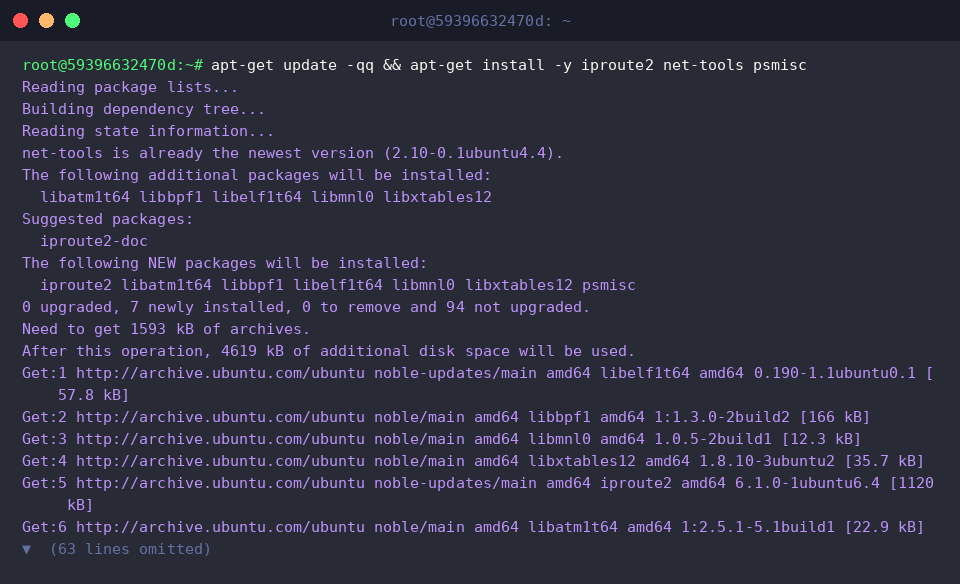
Before setting up the daemon, pull in the core networking and process supervision packages by executing apt-get update -qq && apt-get install -y iproute2 net-tools psmisc.
Verify that the system’s execution path contains the newly deployed binary by calling which arpd.
A return path of /usr/sbin/arpd confirms that the utility is ready for use.

Operating in userspace, arpd intercepts queries, answers incoming discovery packets, and syncs translations into a dedicated database engine.
Review the binary’s command-line interface and configuration switches:
⚙️ [Key Parameters]
-l : Dumps incoming ARP resolution events and runtime updates directly to standard output.-k : Instructs an active kernel daemon instance to terminate immediately.-b <dbase> : Defines the custom path for the address resolution database file.
(Default location: /var/lib/arpd/arpd.db)-B <number> : Controls the outbound queue capacity for batched broadcast probes.-a <N> : Specifies negative retry thresholds before marking an unresolved destination dead.-n <time> : Sets the aging timeout in seconds for stale cache entries.-R <rate> : Enforces a packet generation rate ceiling per second for outbound queries.

Inspecting Network Interfaces and the Kernel ARP Table
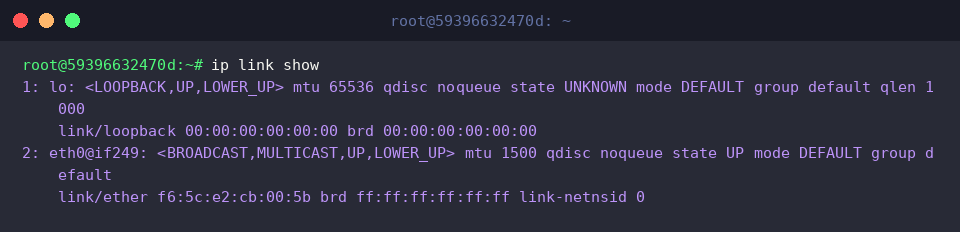
Identify active network adapters available for daemon binding with ip link show.
The output verifies that along with the loopback interface lo, the primary network controller eth0 is operational and in the UP state.
Examine the kernel’s active L3-to-L2 mapping records using ip neigh show.
The output reveals the default router address 172.18.0.1 mapped across eth0 with an active REACHABLE neighbor state.

Confirm resolution states through legacy tools using arp -n to view raw numeric IP records.
Under the Flags column, the C attribute signals a complete, fully established entry ready for transmission.

Spawning arpd and Enabling Background Cache Harvesting
Create the designated storage directory for the cache database using mkdir -p /var/lib/arpd.

Purge any conflicting instances prior to launching the new service by running killall arpd 2>/dev/null || true.

Dynamically discover the primary network interface, store it into IFACE, and spawn arpd with custom storage paths and retry counts via IFACE=$(ip -o link show | awk -F': ' '{print $2}' | grep -v 'lo' | head -n1); arpd -b /var/lib/arpd/arpd.db -a 3 $IFACE.

Confirm that the process is active in the background by running ps aux | grep [a]rpd.
The process table confirms the daemon is successfully running with the configured parameters.

Generating Traffic, Auditing Cache Logs, and Teardown
Trigger outbound IP traffic and force fresh neighbor exchanges with the local gateway by issuing ping -c 2 8.8.8.8 > /dev/null 2>&1 || true.

Inspect collected address translations logged inside the database by calling arpd -l -b /var/lib/arpd/arpd.db 2>&1 | head -n 10 || true.
The resulting headers outline interface indexes alongside paired IP and physical MAC addresses.

After completing operational tests, release allocated resources and halt the background worker via killall arpd 2>/dev/null || true.

Ensure kernel neighbor discovery continues uninterrupted without the userspace daemon by executing ip neigh show.
The gateway entry for 172.18.0.1 on eth0 remains functional and firmly retained in the REACHABLE state.

You have completed setting up, testing, and managing the arpd userspace daemon on Ubuntu. Deploying an external ARP cache database helps stabilize busy systems, mitigates kernel memory contention, and keeps address discovery responsive under high network load.