


Overview
Hitting Enter after typing a terminal instruction initiates a complex sequence of low-level system operations before anything renders on screen. This teardown examines how GNU Bash resolves command targets, forks child processes, handles standard streams, and sandboxes subshell contexts, backed by live terminal demonstrations.
1. Command Resolution and Lookup Order (Builtins, Aliases, and PATH)
Before spawning any binary, the shell must determine the identity of the specified program. The type utility inspects a command name to reveal whether Bash treats it as an internal primitive, an alias, an inline function, or a filesystem binary.
Evaluating cd demonstrates that directory navigation does not involve a standalone program on disk—it operates strictly as a shell builtin.
⚙️ [Key Flags]
-t : Emits solely the classification keyword (builtin, alias, file, keyword, or function).-a : Traverses the resolution hierarchy to report every matching executable candidate across the environment.-p : Resolves and returns the full absolute path only when the target points to an external disk asset.

Querying ls with the same utility produces a completely different result.
Rather than invoking an internal interpreter routine, Bash identifies ls as an independent executable residing at /usr/bin/ls.

When an instruction requires an on-disk binary, the which command queries locations registered within the active environment to pinpoint the exact binary the shell will call.
Passing ls prompts the utility to print /usr/bin/ls, confirming the resolved filesystem target.
⚙️ [Key Flags]
-a : Disables early termination on the first hit, listing every matching binary discovered across all configured search paths.

Executing echo $PATH displays the colon-delimited list of system directories Bash checks during program lookup.
Lookup proceeds left-to-right across these entries; the shell halts its query and prepares to launch the moment it finds the first match.

2. Process Lifecycle Architecture (The Fork-Exec Workflow)
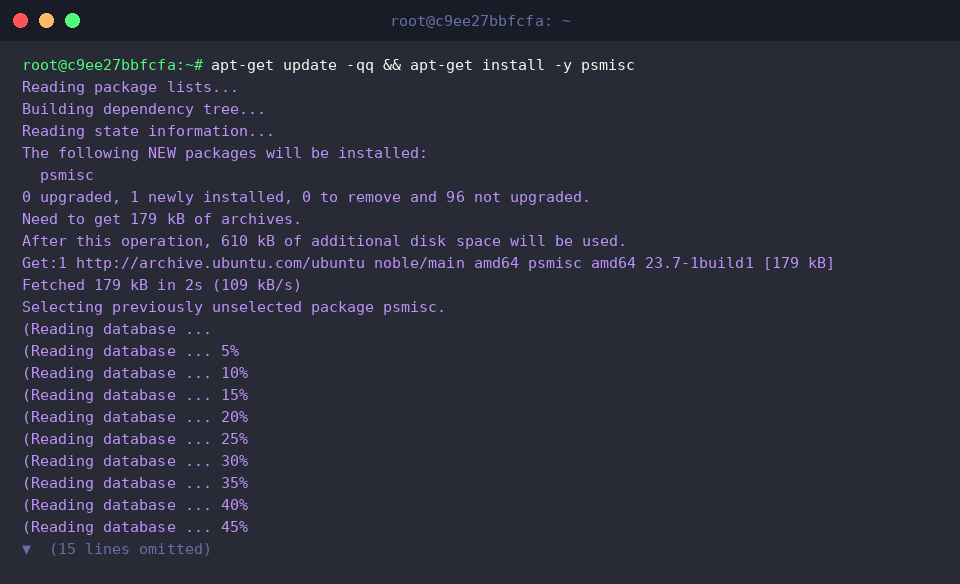
To monitor how the operating system organizes active processes into an execution hierarchy, install the psmisc suite containing pstree.
Running pstree -p $$ maps the process lineage originating from the current terminal shell instance, identified by $$.
The output visualizes how the parent bash session duplicates itself (fork) and transforms into the target application (exec) to host the newly spawned pstree child task.

The command bash -c 'sleep 2' & offloads a two-second delay to an asynchronous subshell by appending the background operator (&).
This detaches execution immediately, returning prompt control to the user while the child task progresses independently in the background.

Running ps -ef | grep [s]leep audits the system process table for active delay routines without matching the search command itself.
Once the allotted duration elapses, the operating system reaps the child task, leaving the process list completely clean.

3. Standard Streams and Pipeline Mechanics (I/O Redirection)
Prepare a testing workspace and mock data using mkdir -p /tmp/bash_demo && echo 'Hello Bash World' > /tmp/bash_demo/sample.txt to observe stream management in real time.

Invoking cat /tmp/bash_demo/sample.txt streams the contents of the newly written flat file directly into the terminal’s standard output (stdout).
The stored string Hello Bash World prints cleanly across the console interface.

Inspecting open descriptors via ls -l /proc/$$/fd exposes how the Linux kernel binds the shell session’s I/O channels.
Standard input (0), standard output (1), and standard error (2) map to virtual pipes and pseudo-terminals managed directly by the kernel subsystem.

Chaining tasks via cat /tmp/bash_demo/sample.txt | tr 'a-z' 'A-Z' links the stdout of cat straight into the stdin of tr through an anonymous pipeline buffer.
This inter-process pipeline converts lowercase text on the fly, rendering HELLO BASH WORLD in the terminal output.

4. Environment Inheritance vs. Subshell Isolation
Declaring DEMO_LOCAL='LocalValue' binds a variable exclusively to the active shell session scope.
Because this assignment lacks export attributes, it remains strictly private to the current shell memory space and never propagates to external processes.

Executing export DEMO_GLOBAL='GlobalValue' elevates the variable into the shell’s global environment table.
Any subsequent commands or child processes launched from this terminal session inherit access to exported definitions.

Wrapping instructions in parentheses like (echo "[서브셸] Local: $DEMO_LOCAL, Global: $DEMO_GLOBAL") spins up an instant subshell by cloning the parent memory space.
Because this cloned environment inherits the caller’s complete memory snapshot, it can resolve both unexported local variables and exported globals without friction.

In contrast, invoking bash -c 'echo "[자식셸] Local: $DEMO_LOCAL, Global: $DEMO_GLOBAL"' launches an entirely fresh shell instance rather than a simple memory clone.
This isolated environment only receives variables formally registered via the process environment block, demonstrating how clean process boundaries restrict unexported shell state.

Grasping how Bash processes tokens, navigates filesystem paths, manages process forks, and controls file descriptors transforms the command line from an opaque interface into a predictable, robust administrative tool.