


Overview
Decompressing massive archives just to verify their contents is an expensive operation in terms of both I/O throughput and disk space. In modern Linux environments, the bzcmp utility eliminates this overhead by allowing system administrators to inspect and compare .bz2 compressed streams on the fly. This practical walkthrough covers everything from basic byte-level identity checks and scriptable exit code validation to cross-comparing compressed archives directly against plain text files.
Setting Up bzip2 and Generating Practice Data
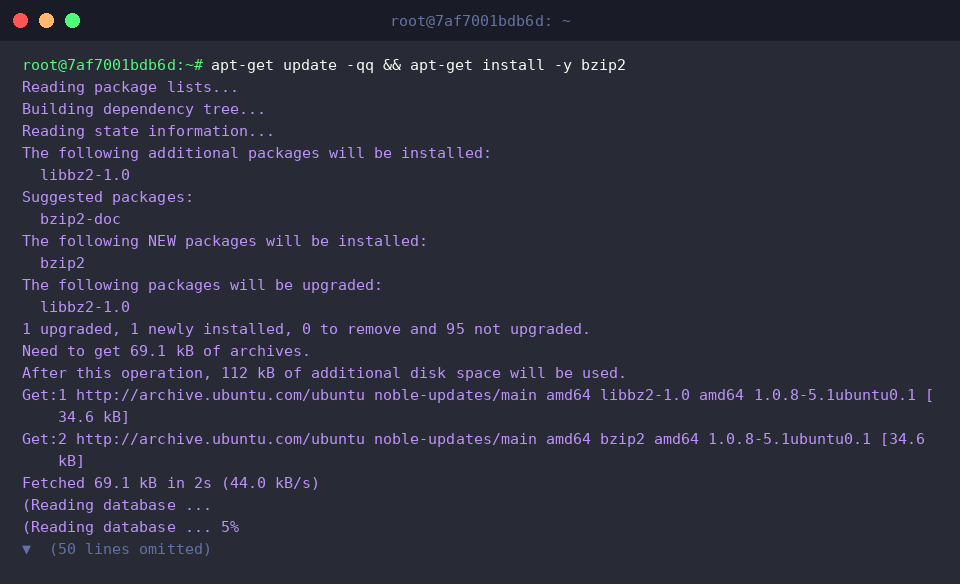
Before diving into comparisons, ensure the core bzip2 toolchain is present on your system by pulling the necessary package from the Ubuntu repositories.
To establish a clear baseline for our test scenarios, prepare three text files: two with identical data and a third containing distinct contents.

Next, compress all three files into standalone .bz2 archives. Passing the -k flag instructs bzip2 to keep the source files intact instead of deleting them after compression, and chaining ls -l allows us to verify the generated outputs.

Verifying Identical Archives and Evaluating Return Codes
When evaluating two archives that contain identical data, execute bzcmp sample1.txt.bz2 sample2.txt.bz2. In line with standard Unix philosophy, the command remains completely silent when no differences are detected.

Automated scripts depend heavily on exit statuses rather than terminal output. Checking the $? special shell variable right after the comparison reveals an exit code of 0, confirming complete byte-level parity between the archives.

Spotting Discrepancies and Pinpointing Differing Bytes
Running the utility against archives with mismatched data triggers diagnostic output detailing where the files diverge. Launching bzcmp sample1.txt.bz2 sample3.txt.bz2 immediately pinpoints the exact line number and byte index where the first inconsistency occurs.

Querying $? immediately after this discrepancy shows an exit status indicating that differences were found while the comparison process itself concluded cleanly.

If you need deeper byte-level auditing, invoke the -l option: bzcmp -l sample1.txt.bz2 sample3.txt.bz2. Under the hood, this relies on cmp -l syntax to list decimal byte offsets alongside octal byte values for every point where the archives diverge.

Cross-Comparing Compressed Archives Against Plain Text
One of the most practical features of bzcmp is its ability to perform transparent, hybrid checks between an intact .bz2 container and an uncompressed flat file. Running bzcmp sample1.txt.bz2 sample1.txt validates parity without requiring manual decompression of the archive.

To demonstrate how the utility handles divergences during hybrid evaluations, write an alternative string to sample_diff.txt and rerun the command. As expected, bzcmp immediately flags the discrepancy by reporting the line and byte offset of the mismatch.

With our lab exercises complete, clear out the sandbox directory by purging the temporary working files and .bz2 archives.

By integrating bzcmp into your standard maintenance workflow, inspecting rotating log bundles and backup validation routines becomes significantly faster, saving disk cycles and keeping system administration overhead to a minimum.