


Overview
The ISO C99 standard brought pivotal enhancements to C development, introducing features such as inline variable declarations and native boolean support. On Ubuntu systems, the c99-gcc driver serves as a dedicated wrapper ensuring source builds conform strictly to these specifications. This practical walkthrough covers provisioning the essential compilation environment, crafting compliant code, invoking the compiler, and fine-tuning runtime performance using optimization flags.
1. Provisioning Build Tools and Verifying the c99-gcc Toolchain
Before compiling C projects, ensure your operating system has access to standard header libraries, make utilities, and compiler binaries by refreshing repository lists and installing the primary toolchain package.

Confirm that the system path resolves the standard-compliant wrapper correctly by querying the binary location with which c99-gcc.

The c99-gcc wrapper script instructs GCC to enforce ISO/IEC 9899:1999 requirements during compilation. Querying --version displays the underlying compiler release and target architecture.
⚙️ [Essential CLI Flags]
-c : Compiles source files into relocatable object code (.o) without executing the linker.-o : Designates the path and filename for the final binary or object file.-O : Dictates optimization passes targeting higher execution speed or reduced binary footprint.-g : Embeds debugging symbols required by tools like GDB.-Wall : Activates a broad collection of compiler diagnostic warnings to surface latent bugs.-I : Appends search paths for preprocessor header inclusions.-l : Instructs the linker to resolve external library dependencies.

2. Creating a C99 Test Source File with Modern Syntax
Isolate build exercises by preparing an organized working directory using mkdir -p ~/c99_practice.

To showcase standard C99 idioms—such as boolean representations from <stdbool.h> and declaring loop indices directly within the loop scope—write a compact demonstration file into ~/c99_practice/c99_test.c using an inline cat stream.
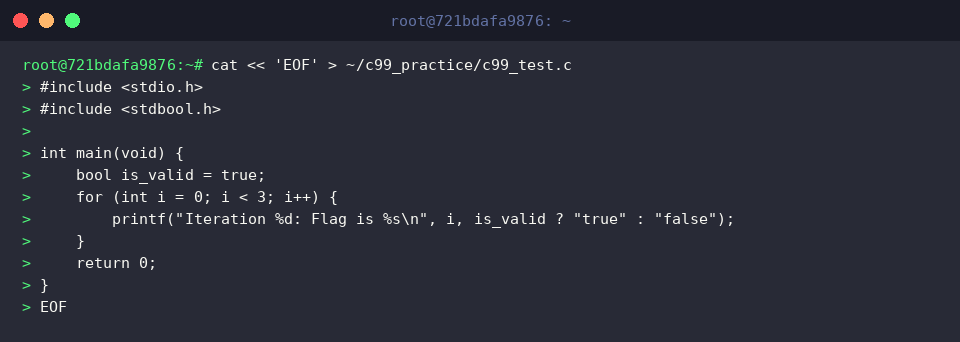
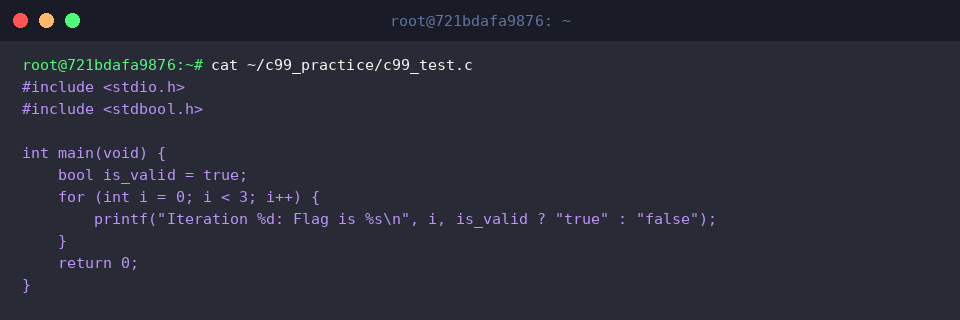
Inspect the saved file to ensure the source code was written without formatting errors or truncated statements using cat ~/c99_practice/c99_test.c.
3. Compiling the C99 Program and Running the Binary
Invoke the build driver on c99_test.c to generate an executable named c99_test with the command c99-gcc -o ~/c99_practice/c99_test ~/c99_practice/c99_test.c.

Review file permissions, ownership, and initial byte size with ls -l ~/c99_practice/c99_test to verify that execution permissions are present.

Launch the newly built executable to confirm that the C99 loop construct and boolean evaluation operate as expected in the shell.

4. Applying Compiler Warnings and Optimization Flags
In production workflows, pairing rigorous diagnostics with optimization transforms code quality. Execute c99-gcc -Wall -Wextra -O2 -o ~/c99_practice/c99_test_opt ~/c99_practice/c99_test.c to build c99_test_opt. Flags -Wall and -Wextra catch subtle logical defects, while -O2 applies robust vectorization and instruction-level optimizations without increasing compilation overhead significantly.
A clean exit with no output confirms complete compliance with compiler checks.

Assess differences in disk utilization between the baseline and optimized binaries with human-readable formatting using ls -lh ~/c99_practice/c99_test*.

Trigger the optimized binary c99_test_opt to validate that functional integrity remains intact after compiler optimizations.

Leveraging c99-gcc on Ubuntu provides a reliable, standard-conformant toolchain for building robust C applications. Combining strict diagnostic flags with sensible optimization presets establishes a dependable foundation for contemporary C systems development.