


Overview
Validating TLS/SSL trust stores efficiently requires indexed lookups rather than scanning every certificate file sequentially. OpenSSL achieves this by querying directories populated with standardized hash-based symbolic links. The c_rehash utility automates this routine by parsing target directories, calculating subject name hashes, and constructing or refreshing the necessary pointers. This hands-on tutorial walks through the operational mechanics of c_rehash, explains its practical flags, and demonstrates how to manage custom certificate stores on Ubuntu.
Understanding c_rehash and Setting Up the Environment
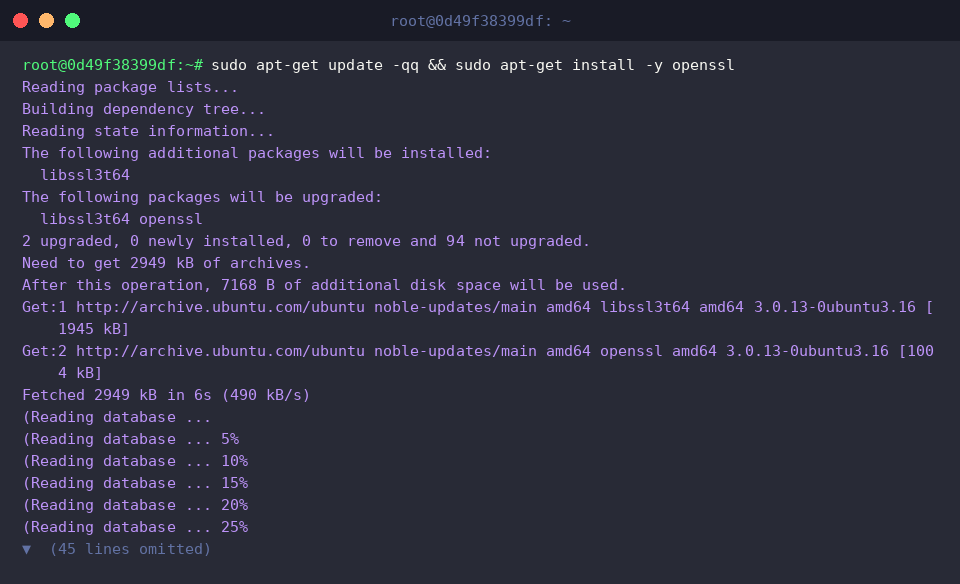
Begin by updating the local APT repository cache and installing the native openssl utilities bundle.
Confirm that the c_rehash executable is available within the system $PATH by invoking which.

When an SSL client or server performs certificate chain verification, it searches for filenames matching the 8-character hexadecimal subject hash followed by an index suffix (for example, <hash>.0). c_rehash scans any supplied directory and builds these pointer links automatically.
Query the command synopsis and flag specifications using the -h argument:
⚙️ Core Options:
-h : Displays help and usage guidelines.-v : Enables verbose logging, printing detailed unlink and link actions.-old : Employs legacy (MD5-based) hashing algorithms to maintain backward compatibility with OpenSSL 0.9.8.-n : Skips removing pre-existing symlinks in the target directory.

Generating Test Certificates and Creating Hash Symlinks
To isolate our experiments without altering system-level stores, set up a dedicated workspace directory named ~/ssl-test.

Generate an initial self-signed X.509 certificate along with an unencrypted 2048-bit RSA private key using openssl req.

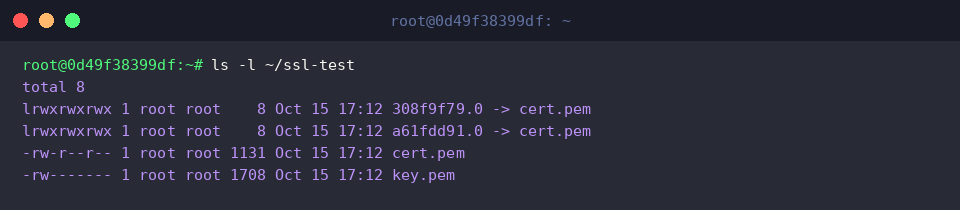
Inspect the workspace contents with ls -l to verify that both cert.pem and key.pem were successfully written to disk.

Run c_rehash against the ~/ssl-test folder to initiate the scanning and hashing routine.

Examine the folder once more. Notice that a new symbolic link formatted as an 8-character hash pointing directly to cert.pem has been populated.
Verbose Processing (-v) and Validating Hash Consistency
To observe how c_rehash reconciles directories containing multiple assets, create a second self-signed certificate (cert2.pem) with its corresponding private key (key2.pem).

Trigger c_rehash with the -v (verbose) flag. This output reveals the underlying lifecycle: the utility unlinks outdated pointers and establishes fresh symlinks for both the existing certificate and the newly introduced cert2.pem.
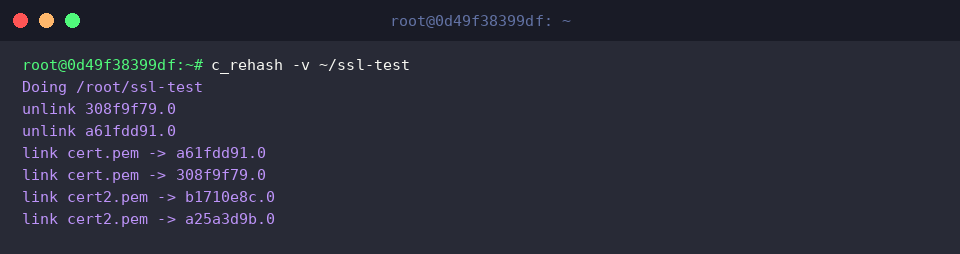
To confirm cryptographic integrity, compute the subject hash of cert.pem directly via openssl x509 -hash -noout. The resulting output (a61fdd91) matches the prefix of the symlink (a61fdd91.0) created by the script.

Inspecting System Certificate Stores and Cleanup
On Ubuntu installations, default CA trust anchors are centralized under /etc/ssl/certs. Check the folder attributes to review its permissions and root ownership.

Having completed the operational validation, purge the temporary testing workspace using rm -rf.

By mastering c_rehash, Linux administrators can automate the maintenance of internal Certificate Authority stores and streamline certificate resolution across web servers and secure enterprise services.