


Overview
Linux virtual consoles (TTYs) do not natively process modern XKB keyboard architectures; bridging this gap requires compiling XKB definitions into console-compatible key tables via ckbcomp. Rather than sifting through convoluted manual pages, this hands-on tutorial walks through essential ckbcomp workflows: translating regional layouts, implementing custom modifier mappings like swapping CapsLock with Control, and deploying the resulting tables immediately with loadkeys.
1. Installing ckbcomp and Compiling a Baseline US Layout
To prepare the system for generating and loading console keyboard tables, begin by pulling in console-setup, kbd, and xkb-data via the package manager.

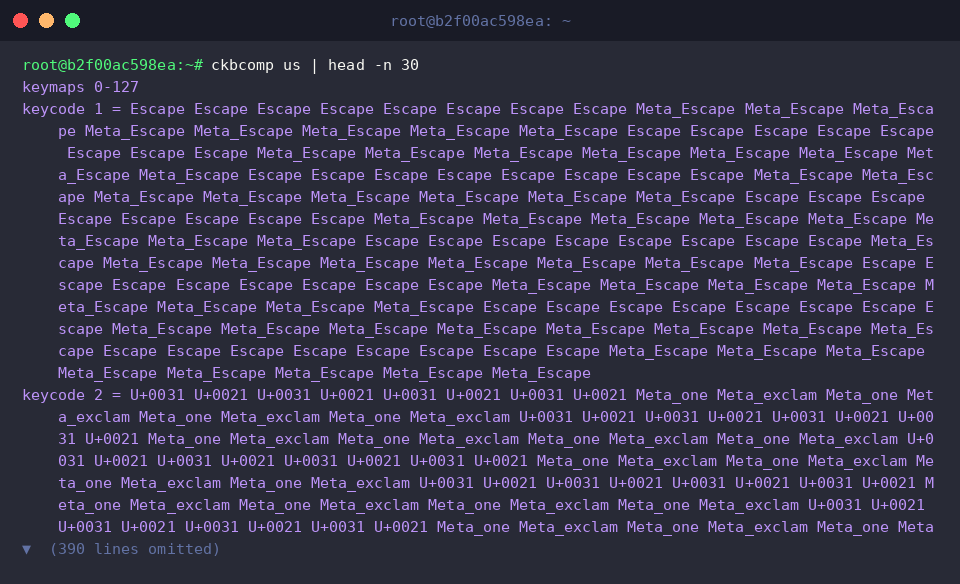
The ckbcomp utility parses high-level XKB configuration rules and outputs translation tables tailored for the kernel’s loadkeys driver. Piping standard US keyboard output to head -n 30 exposes the initial header blocks and keycode assignments.
⚙️ [Key Command-Line Flags]
-model : Defines target hardware geometry, such as standard pc105 or pc104 keyboards.-variant : Selects specific sub-layouts within a language family (e.g., dvorak, colemak).-option : Injects XKB behavioral rules, such as reassigning modifier keys with ctrl:nocaps.-charmap : Dictates the output character encoding, commonly UTF-8 or ISO-8859-1.-compact : Shrinks resulting table sizes by merging duplicated key definitions.-freebsd : Instructs the compiler to output FreeBSD syscons/vt-compatible tables instead of Linux keymaps.
2. Configuring Hardware Models (-model) and Regional Variants (-variant)
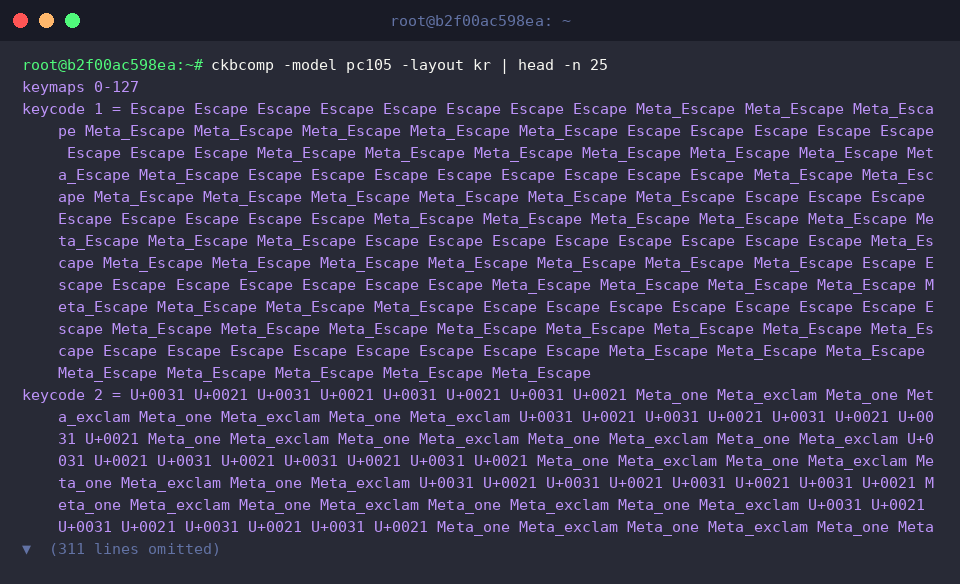
Compiling a table for a generic 105-key layout with Korean input involves pairing -model pc105 with -layout kr. Examining the generated stream reveals explicit scancode-to-Unicode bindings alongside multi-layer shift states (Shift, AltGr, Control).
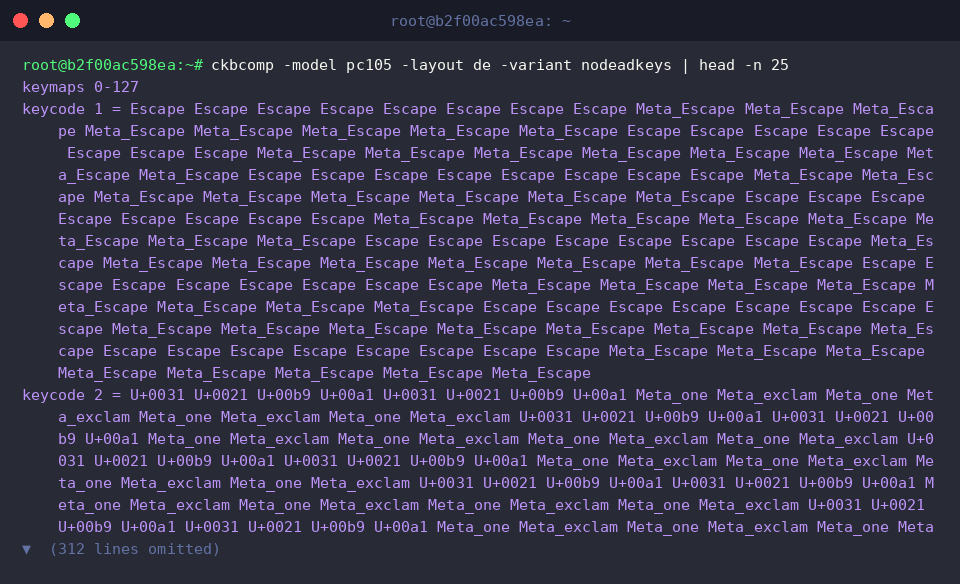
For multilingual configurations such as German (-layout de), accent behaviors can be adjusted with -variant nodeadkeys. Suppressing dead-key mechanics forces diacritical characters (circumflex, tilde, grave) to register immediately upon keystroke rather than buffering for a secondary character.
3. Customizing Modifiers: Remapping CapsLock to Control
Command-line operators frequently turn CapsLock into an additional Control modifier. Specifying -option ctrl:nocaps replaces CapsLock entirely; piping the output into grep confirms that all references to Caps_Lock are purged from the compiled table, returning no matches.

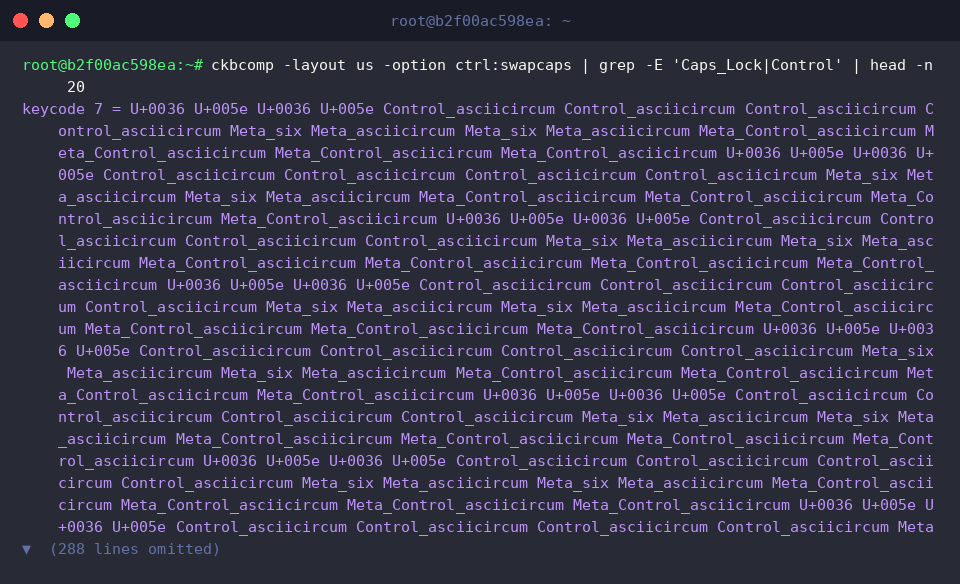
If you prefer transposing the two keys rather than eliminating CapsLock outright, supply -option ctrl:swapcaps. Filtering the emitted keycode table shows Caps_Lock now assigned to physical position keycode 29 (the conventional left Control location) while the original CapsLock scan code assumes Control duties.
4. Persisting Compiled Keymaps and Loading Them with loadkeys
Set up a structured home directory location to warehouse compiled keymap files by executing mkdir -p ~/keymaps.

Compile the US layout with the CapsLock-as-Control modification and redirect (>) the standard output directly into ~/keymaps/custom_us.map.

Linux console utilities process compressed keymap archives natively. Use gzip -fk ~/keymaps/custom_us.map to generate a compressed .gz equivalent while keeping the original uncompressed source intact.

Inspect the file sizes using ls -lh ~/keymaps/custom_us.map*. The uncompressed map file spans roughly 120 KB, whereas the gzip-compressed asset shrinks to approximately 4.0 KB, optimal for lightweight console initialization.

Activate the newly built mapping across active virtual terminals by invoking sudo loadkeys ~/keymaps/custom_us.map. The command applies without error, instantly transforming CapsLock into an operational Control key inside the Linux TTY session.

You now have a clean, repeatable procedure for translating complex XKB profiles into native Linux console tables using ckbcomp and loadkeys. Bypassing convoluted manual specifications, these straightforward commands empower you to establish tailored, ergonomic keyboard configurations across any headless or recovery TTY session.