


Overview
rsync (Remote Sync) stands out as an indispensable utility for Linux administrators seeking lightning-fast, bandwidth-efficient file transfers and resilient data backups. In this hands-on terminal tutorial, we walk through foundational commands, explore the critical behavior of trailing slashes (/), and dive into essential flags for mirroring data safely and incrementally.
Installing rsync and Running Basic Local Directory Sync (-av)
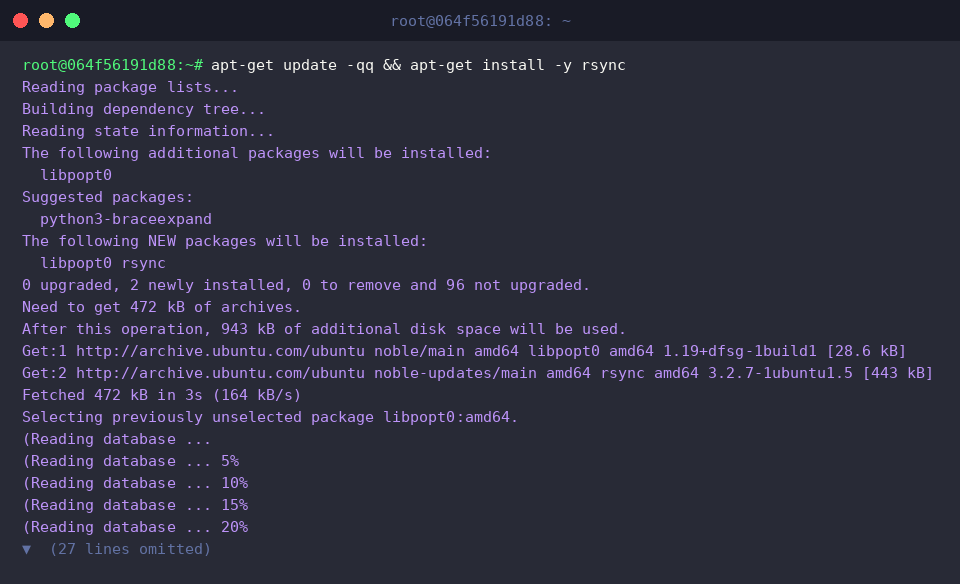
Before configuring any synchronization routines, ensure your local repository index is refreshed and install the rsync package using APT:
Set up isolated directories for both the source payload and destination target by invoking mkdir -p /tmp/rsync_test/src /tmp/rsync_test/dest:

Populate the source folder with your first dummy file by running echo 'data 1' > /tmp/rsync_test/src/file1.txt:

Generate a companion test document via echo 'data 2' > /tmp/rsync_test/src/file2.txt:

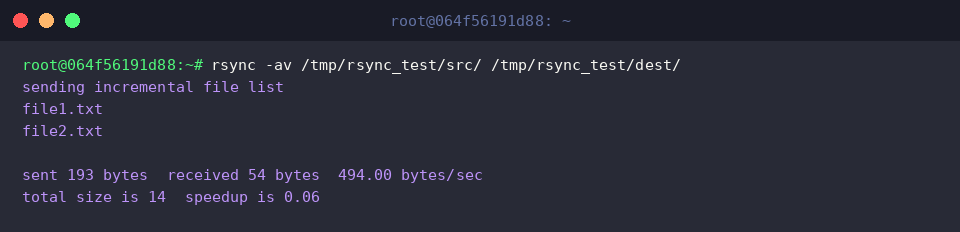
rsync orchestrates high-speed directory cloning across both local filesystems and remote hosts. Appending a trailing slash (/) to the source path instructs the engine to copy the folder’s inner files directly into the destination rather than creating a nested parent directory, all while preserving file integrity and attributes.
⚙️ [Key Flags & Options]
-a: Archive mode. Recursively synchronizes files while preserving permissions, ownership, timestamps, symlinks, and directory structures.-v: Verbose output. Displays real-time details of transferred files and a closing summary.-z: In-transit compression. Compresses chunks during data transmission to slash network bandwidth consumption.-u: Update guard. Bypasses any destination file that carries a newer modification timestamp than its source counterpart.--delete: True mirroring. Removes files from the destination directory that no longer exist in the source tree.-P: Performance monitoring combo. Equivalent to bundling--progress(real-time transfer meter) and--partial(resumes disrupted transfers).-n: Dry-run execution. Simulates the transfer process without touching or altering disk contents.
Inspect the destination path with ls -l /tmp/rsync_test/dest to verify that the files arrived with intact permissions and attributes:

Understanding the Trailing Slash (/) and Incremental Transfers
To witness delta-transfer capabilities in action, append new content to an existing file with echo 'data 1 updated' >> /tmp/rsync_test/src/file1.txt:

Next, create an entirely new file using touch /tmp/rsync_test/src/file3.txt to test how uncataloged additions are picked up:

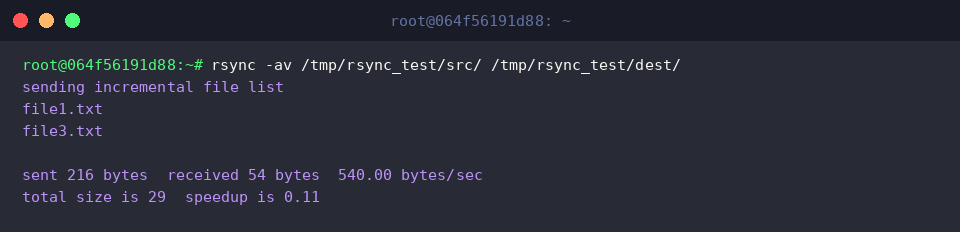
Execute rsync -av /tmp/rsync_test/src/ /tmp/rsync_test/dest/ to propagate your updates.
Because the source specifies a trailing slash (/), rsync synchronizes the contents inside the directory rather than creating a nested src folder. Furthermore, the delta algorithm skips unchanged files like file2.txt, transferring solely the modified file1.txt and the freshly introduced file3.txt.
Exact Mirroring with –delete and Safe Previews via –dry-run
To simulate an unneeded file purge, delete a sample document from the source location with rm /tmp/rsync_test/src/file2.txt:

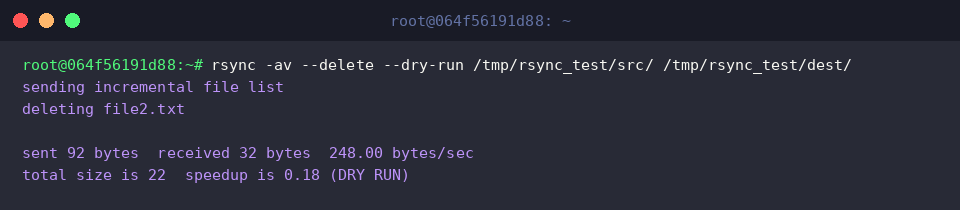
Before performing destructive file operations, test the outcome non-destructively using rsync -av --delete --dry-run /tmp/rsync_test/src/ /tmp/rsync_test/dest/.
The --dry-run flag lets you preview the sync plan in advance, highlighting that missing source files like file2.txt are slated for removal (deleting file2.txt) without actually wiping anything off the disk.
Once satisfied with the trial run, execute rsync -av --delete /tmp/rsync_test/src/ /tmp/rsync_test/dest/ to finalize the mirror state.
Applying --delete actively strips file2.txt from the destination, keeping the target tree completely identical to the source.
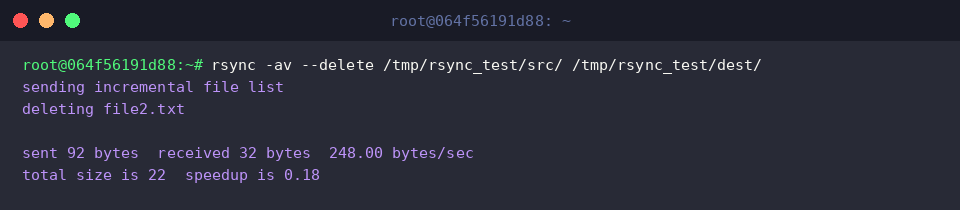
Review the destination folder contents using ls -l /tmp/rsync_test/dest to confirm that file2.txt is eradicated and only active files remain:

Optimizing Large File Transfers with Compression and Progress (-avzP)
To observe how rsync behaves under heavier payloads, generate a 10MB binary dummy file using dd if=/dev/urandom of=/tmp/rsync_test/src/sample_large.dat bs=1M count=10:

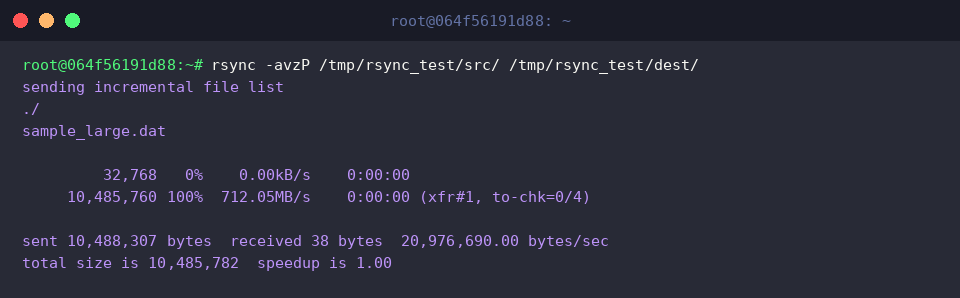
Synchronize the directory while enabling stream compression and interactive progress tracking with rsync -avzP /tmp/rsync_test/src/ /tmp/rsync_test/dest/.
Here, -z compresses outgoing packets to conserve network pipe throughput, while -P exposes live throughput metrics, completion percentages (100%), and ensures interrupted transfers can seamlessly pick back up.
Mastering rsync and its core flags empowers you to build rapid, reliable backup pipelines and mirror filesystems confidently across Linux distributions. Tailor these parameters to your workflow demands to keep your production and staging environments continuously in sync.