


Overview
When authoring system administration tools or automation scripts on Linux, relying on standard library modules avoids the overhead of pulling external dependencies via CPAN or packaging managers. The command-line utility corelist serves as an authoritative offline catalog to check whether a specific Perl library comes pre-bundled with your runtime. This practical guide covers installing the utility, tracking module introduction milestones, inspecting release histories, and computing version differentials across Perl environments.
Installing corelist and Checking Baseline Module Support
To explore corelist on an Ubuntu system, install standard Perl along with the standalone libmodule-corelist-perl package using the APT package manager.
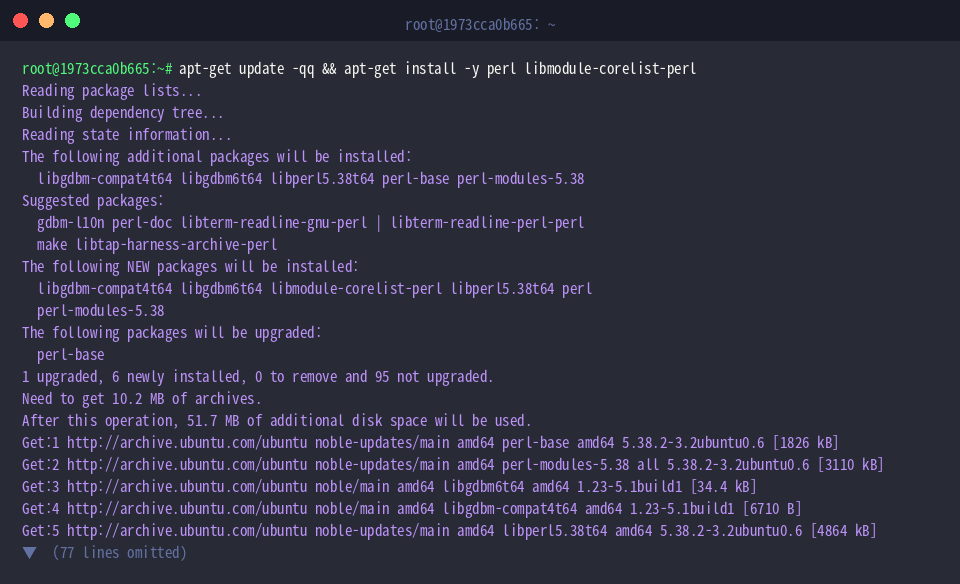
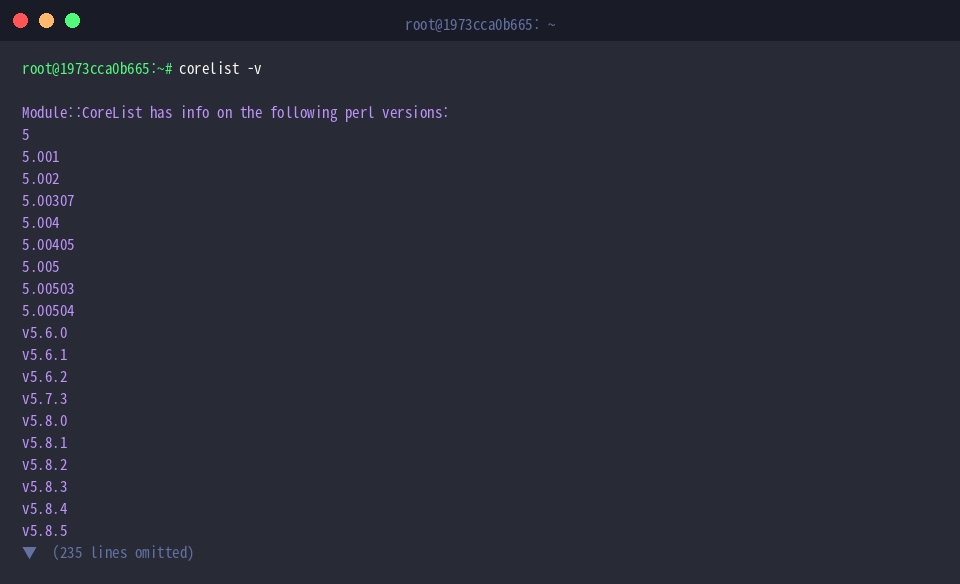
The primary purpose of corelist is to report whether a Perl package forms part of the standard core distribution and to expose exact version mappings. Invoking the tool with the -v parameter lists every Perl release currently indexed in the local database.
⚙️ [Key Command Options]
-v : Lists all supported Perl releases or shows all modules bundled with a specified release.-a : Outlines every Perl version that packaged the module alongside its corresponding module build number.-d : Reports the exact Perl release where a module was marked as deprecated.-r : Displays official calendar release dates for Perl versions.--diff : Compares core library sets between two distinct Perl distributions to expose differences.
Execute corelist File::Spec to determine when the standard filesystem path manipulation library became part of the baseline runtime. The terminal output confirms that File::Spec entered the core distribution back in Perl 5.00405.

Similarly, run corelist JSON::PP to evaluate pure-Perl JSON parsing support. The query output indicates that JSON::PP joined the standard library starting with Perl v5.13.9.

Auditing Module Version Histories Across Perl Releases
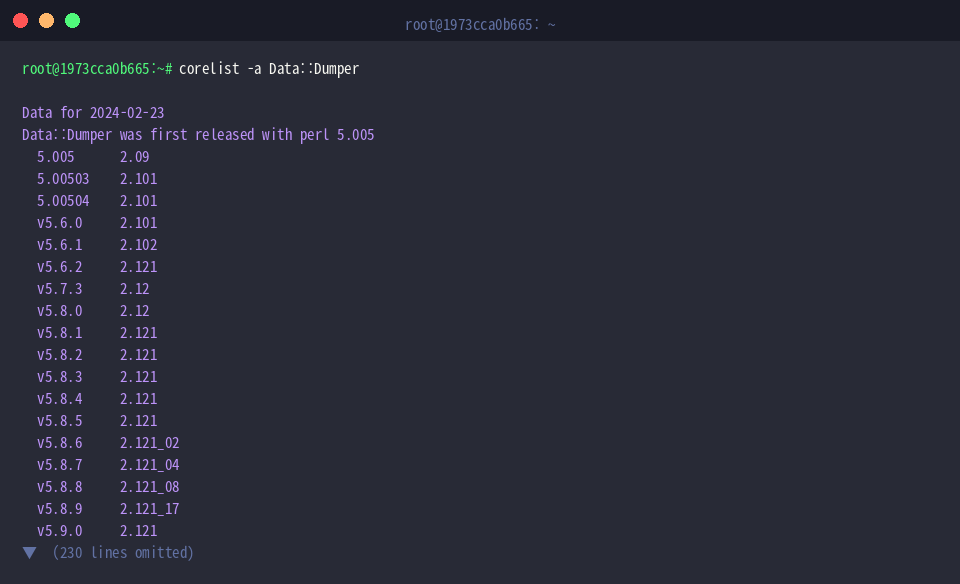
To track how a library evolved over successive runtimes, invoke corelist -a Data::Dumper. The result displays the module’s entire lifecycle from its initial integration in Perl 5.005 through incremental revisions across subsequent major and minor releases.
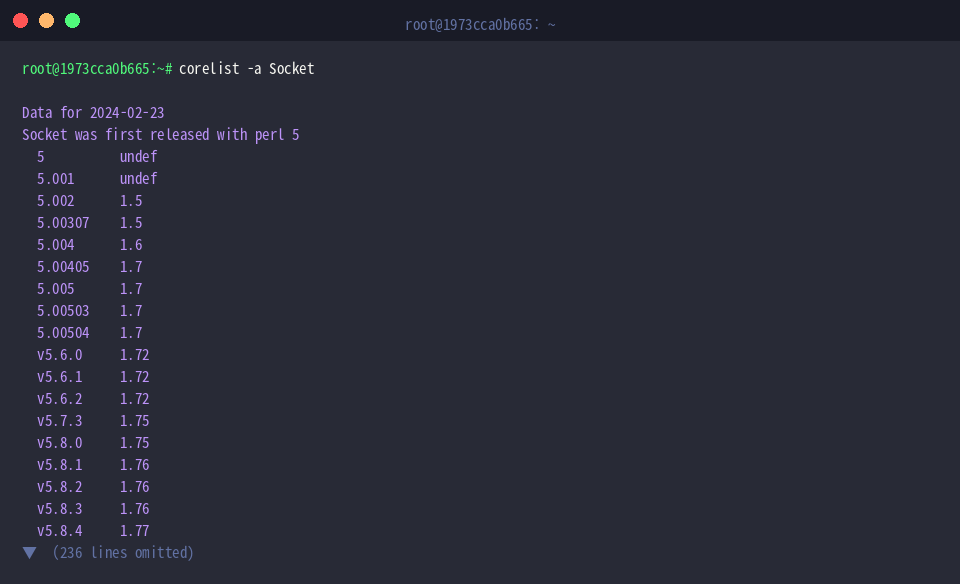
Inspecting low-level network components works similarly by running corelist -a Socket. The command details its presence since the earliest Perl 5 milestones and chronicles how underlying socket implementations updated in tandem with modern networking standards.
Querying Core Modules for Target Perl Releases
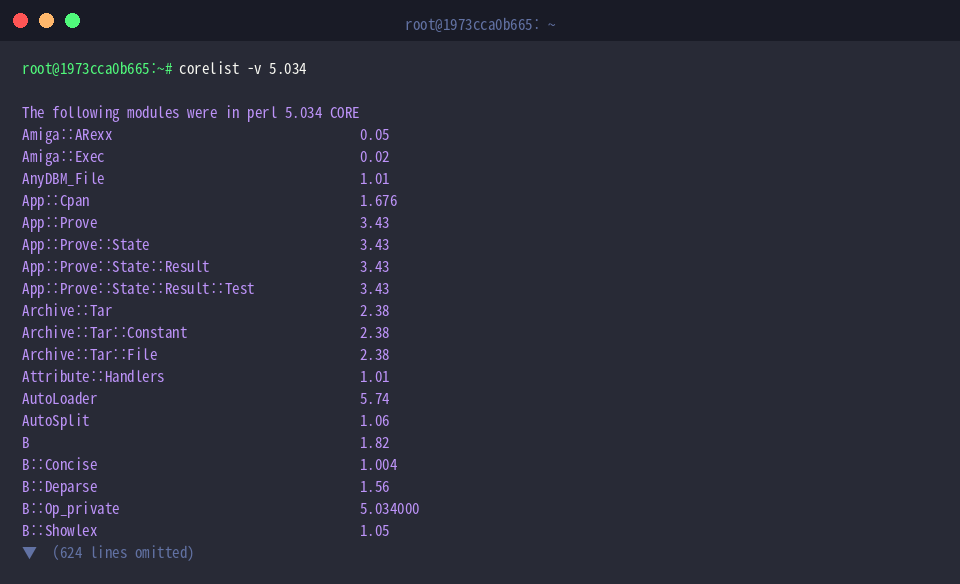
When targeting a specific deployment target, run corelist -v 5.034 to retrieve a complete manifest of every core library and module version bundled natively into Perl 5.034. This report provides a quick way to audit environmental baselines before running mission-critical workloads.
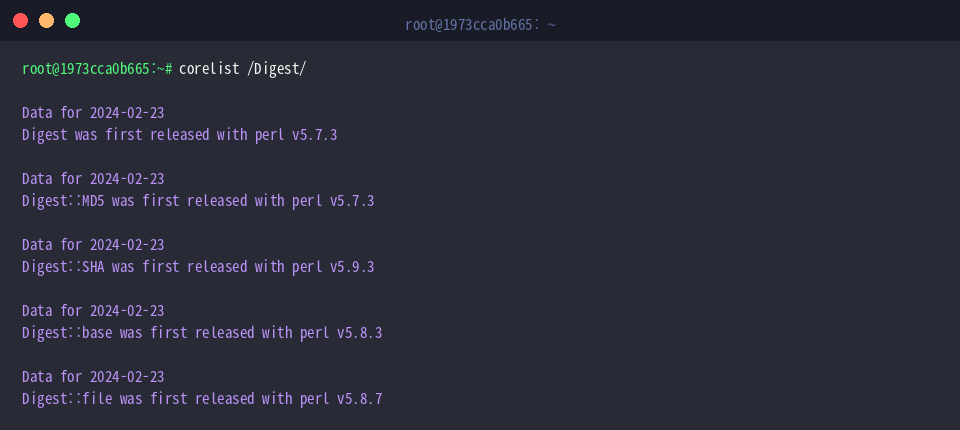
You can also filter libraries by passing a regular expression pattern enclosed in forward slashes, such as corelist /Digest/. The query identifies all cryptographic hashing modules matching the term alongside their respective debut releases.
Comparing Core Module Diffs Between Perl Versions
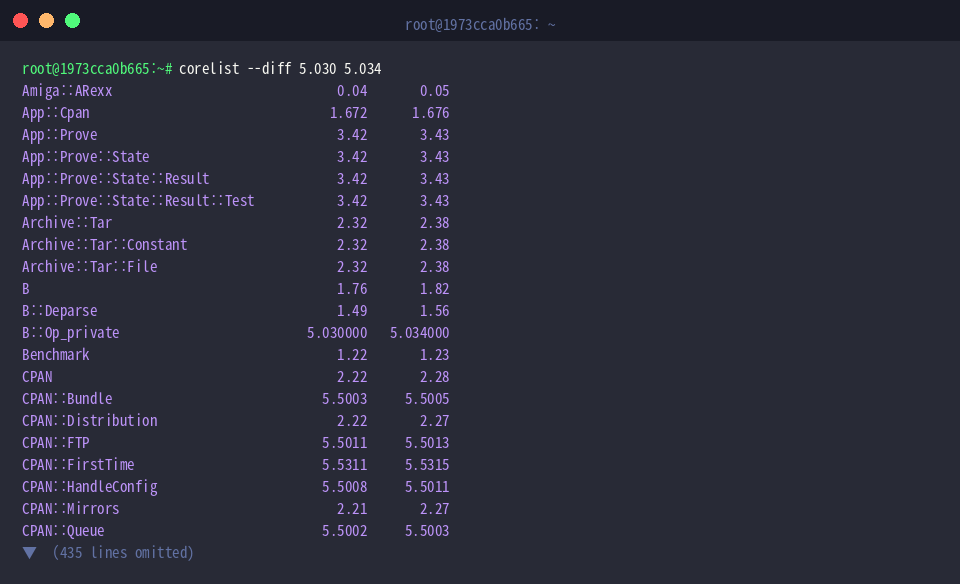
Upgrading Perl runtime environments can introduce breaking changes when bundled module versions change. By issuing corelist --diff 5.030 5.034, you can generate an immediate differential view highlighting updated packages between the two releases, simplifying script compatibility verification.
To spot libraries dropped from the standard runtime, execute corelist --removed 5.034. Inspecting pruned modules beforehand allows system engineers to bundle missing components proactively before completing distribution updates.

Leveraging corelist in Linux environments removes uncertainty around Perl standard library distributions. Checking built-in module availability streamlines development and ensures scripts run reliably without installing redundant dependencies.