


Overview
When processes crash or exit abruptly in a Linux environment, abandoned UNIX domain sockets often remain behind in temporary directories. These orphaned endpoints tie up filesystem inodes and clutter administrative paths. This practical guide walks through utilizing the native dbus-cleanup-sockets utility to detect disconnected IPC sockets safely and purge them without interrupting production services.
1. Verifying D-Bus Package Installation and Binary Availability
Before experimenting with socket maintenance workflows, ensure that both core D-Bus services and Python runtimes are installed and up to date on your host.
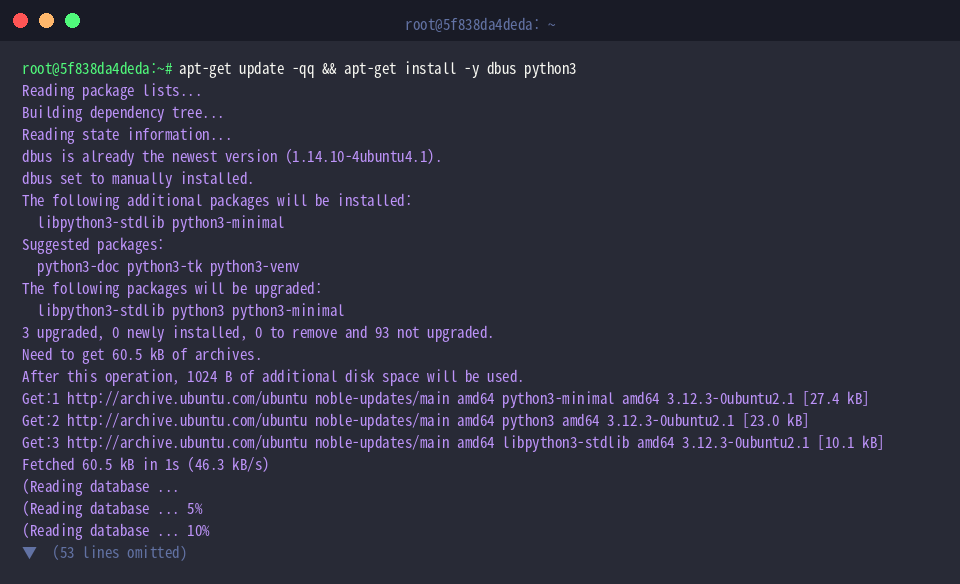
Confirm that the dbus-cleanup-sockets executable resides within your standard $PATH (typically under /usr/bin) by querying it via which.
⚙️ [Key Options]
--version : Displays program version details and copyright metadata.--help : Shows supported command-line flags and basic invocation syntax.<directory> : Designates the target folder where stale socket files should be scanned and purged.

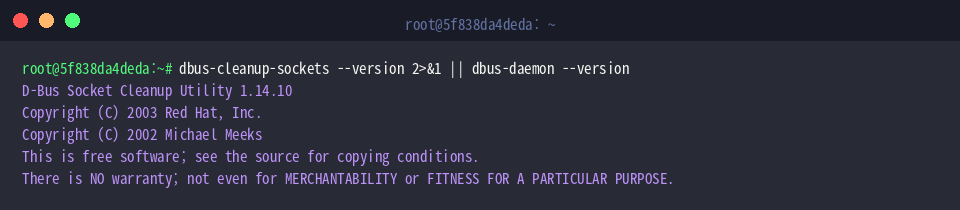
Run dbus-cleanup-sockets --version to inspect the release revision of the installed tool. In environments where this standalone binary lacks a dedicated version banner, chaining dbus-daemon --version acts as an effective fallback to reveal the underlying D-Bus framework release.
2. Auditing Active D-Bus Sockets Across System Directories
Inspect /tmp using ls -la /tmp | grep -E "dbus|systemd" || true to check whether residual systemd or D-Bus socket handles already occupy volatile storage. In a typical healthy state, you will notice isolated systemd private service directories with no orphaned D-Bus IPC endpoints cluttering the directory.

Next, audit active listening UNIX domain sockets via ss -xl | grep -i dbus | head -n 5. An empty response confirms that no active D-Bus daemon is currently binding listeners inside standard temporary paths under this test shell.

3. Simulating Orphaned Sockets and Evaluating Cleanup Behavior
Create a dedicated sandbox folder via mkdir -p /tmp/test_dbus_sockets to safely run cleanup evaluations in complete isolation.

To replicate a crashed daemon scenario where an unlinked socket remains on disk after process termination, run python3 -c 'import socket; s = socket.socket(socket.AF_UNIX, socket.SOCK_STREAM); s.bind("/tmp/test_dbus_sockets/s_test_socket")' to bind a dummy UNIX domain socket and immediately exit.

Verify the created dummy socket using ls -l /tmp/test_dbus_sockets. The leading s file type descriptor confirms that the filesystem recognizes the target as a genuine UNIX domain socket.

Trigger socket verification against the sandbox directory using dbus-cleanup-sockets /tmp/test_dbus_sockets. The output indicates zero sockets cleaned, demonstrating how the utility evaluates socket validity and skips files that do not match expected D-Bus connection patterns.

Check the contents of the directory again with ls -la /tmp/test_dbus_sockets. As anticipated from the diagnostic scan, s_test_socket remains untouched on the filesystem.

4. Performing System-Wide Cleanup and Final Environment Purge
Execute dbus-cleanup-sockets /tmp to scan the primary system scratch space for abandoned IPC endpoints. Reporting zero cleaned, active, or unknown sockets confirms that /tmp is currently free from any lingering D-Bus session remnants.

Clean up the simulation workspace and remove the dummy socket by executing rm -rf /tmp/test_dbus_sockets.

Conclude the verification routine by running echo "D-Bus socket cleanup verification finished successfully" to mark the task completed without runtime errors.

We have explored how Ubuntu system administrators can leverage dbus-cleanup-sockets to audit and sanitize dormant communication channels. Incorporating routine socket hygiene into scheduled maintenance routines helps avoid inode starvation and keeps Linux servers running smoothly.