


Overview
Modern Linux distributions depend on D-Bus as the primary inter-process communication (IPC) backbone linking system daemons, desktop environments, and user processes. This guide demonstrates how to harness the dbus-monitor utility to inspect live message exchanges as they traverse the bus. By learning to capture and filter signals and method calls across both system and session buses, administrators and developers can diagnose complex inter-service communication issues with confidence.
Verifying D-Bus Packages and Daemon Health
Prepare your Ubuntu workstation by provisioning the necessary D-Bus binaries and X11 integration libraries using apt-get update -qq && apt-get install -y dbus dbus-x11:
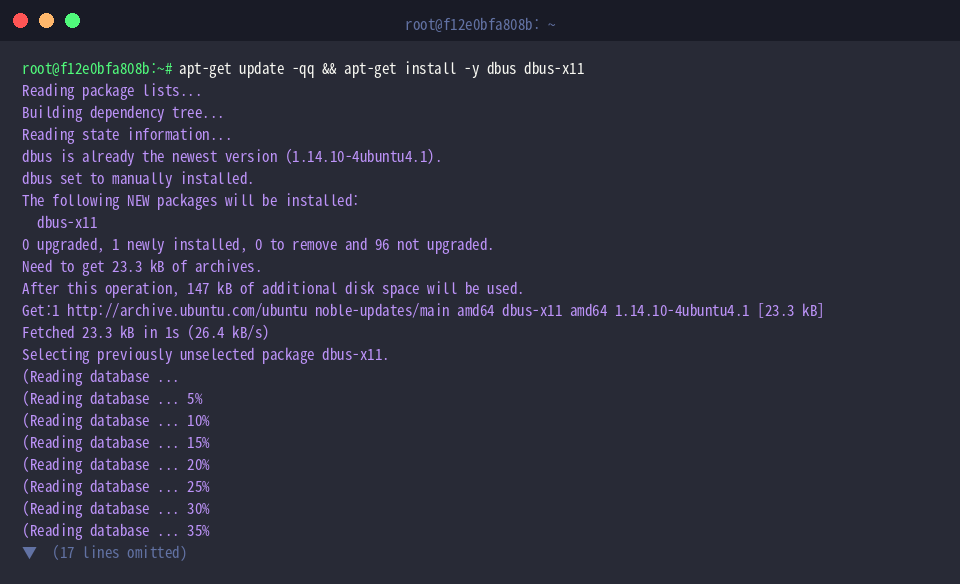
Confirm that the diagnostic executable is available in your shell search path with which dbus-monitor:
Designed as a real-time protocol sniffer for D-Bus communication, dbus-monitor decodes interactions flowing across the bus.
⚙️ Key Command Flags
--system: Directs inspection toward the system-level message bus.--session: Targets the current desktop session bus (selected by default when omitted).--pcap: Generates standard PCAP packet capture data for downstream analysis in Wireshark.--binary: Outputs raw, unparsed message byte streams.--monitor: Formats bus activity into detailed, human-readable text representations.--profile: Emits high-precision timing measurements and latency statistics for profiling communication overhead.

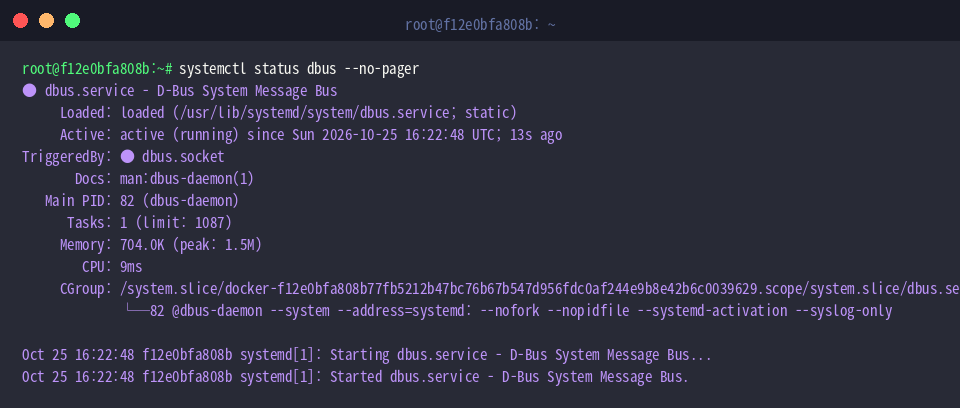
Before attempting message capture, ensure the underlying message routing broker is operational via systemctl status dbus --no-pager:
An indicator of Active: active (running) verifies that the central D-Bus broker is functional and dispatching system messages.
Capturing Live System Bus Traffic
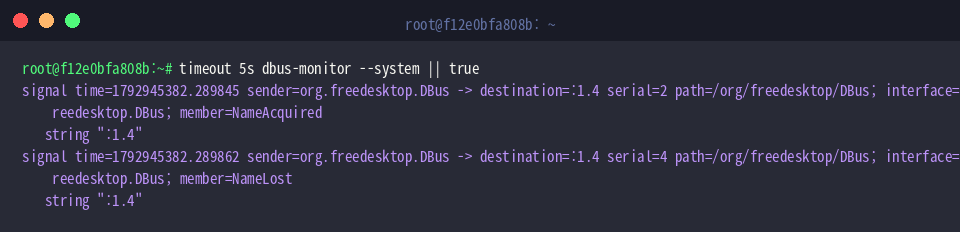
To intercept raw messages across the system bus without hanging your terminal, sample activity for five seconds with timeout 5s dbus-monitor --system || true:
The captured stream exposes essential bus orchestration events, such as NameAcquired when an endpoint receives an assigned address, and NameLost when a client closes its connection.
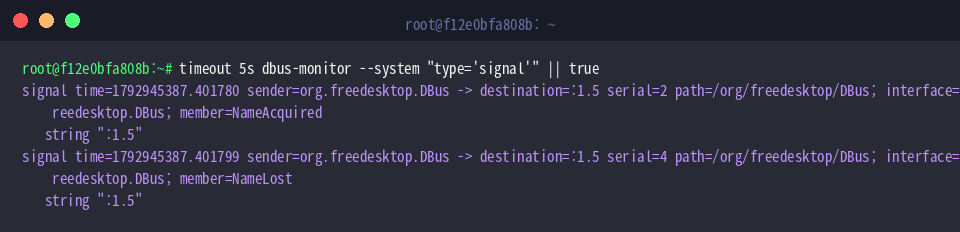
Because high-volume method invocations and replies can clutter output, isolate asynchronous broadcast events by applying a type filter with timeout 5s dbus-monitor --system "type='signal'" || true:
Configuring the match rule type='signal' restricts the feed to system-wide status broadcasts, stripping out point-to-point queries and responses.
Filtering Traffic by Interface and Member Rules
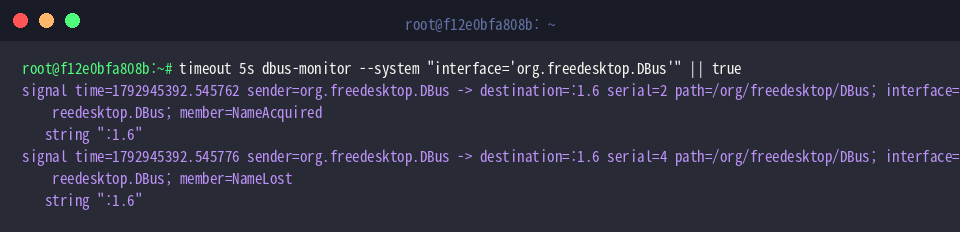
D-Bus APIs are organized into logical interfaces. To trace traffic belonging strictly to the root bus management layer, run timeout 5s dbus-monitor --system "interface='org.freedesktop.DBus'" || true:
Applying interface='org.freedesktop.DBus' narrows the monitor’s focus to core lifecycle events like NameAcquired and NameLost emitted by the broker itself.
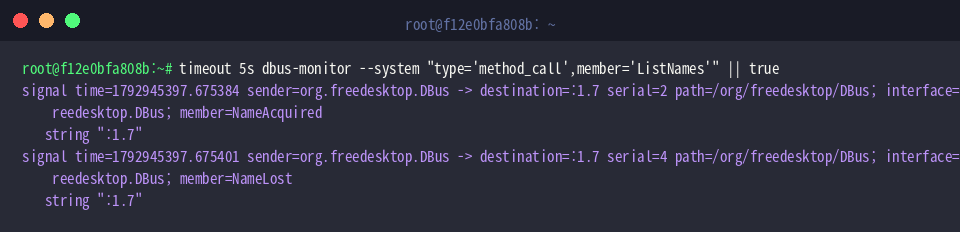
To pinpoint individual function calls, combine type rules with specific member parameters using timeout 5s dbus-monitor --system "type='method_call',member='ListNames'" || true:
Enforcing both type='method_call' and member='ListNames' captures instances where clients explicitly request the list of all registered bus endpoints.
Testing IPC Exchanges with dbus-send
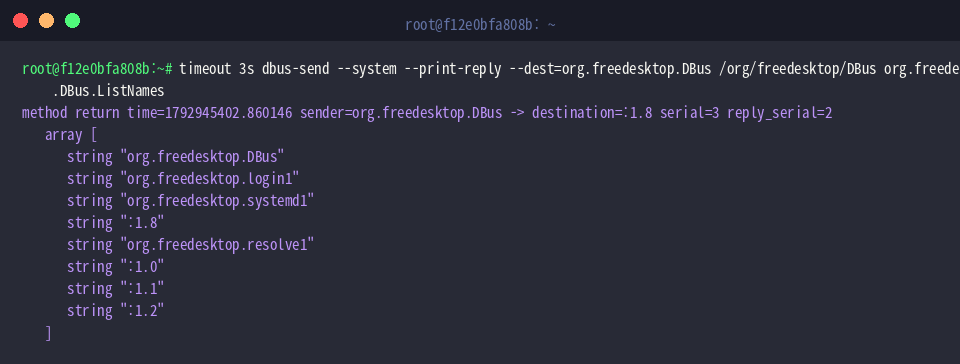
Verify communication and query active services directly from the command line by executing timeout 3s dbus-send --system --print-reply --dest=org.freedesktop.DBus /org/freedesktop/DBus org.freedesktop.DBus.ListNames:
The structured array output demonstrates that the broker responds correctly, displaying active identifiers such as systemd1 and login1.
To observe end-to-end event handling, run dbus-monitor in the background and trigger a synthetic signal using dbus-send:
(dbus-monitor --session "interface='org.example.Test'" &); sleep 1; dbus-send --session --type=signal /org/example/TestObject org.example.Test.CustomSignal string:"Ping"; sleep 1; killall dbus-monitor || true
This test sequence initializes a background listener for org.example.Test, transmits a CustomSignal containing the "Ping" payload across the session bus, and terminates the capture process cleanly.

Filtering and inspecting D-Bus transactions with dbus-monitor demystifies background communication across Linux subsystems. Whether analyzing desktop notifications or debugging custom service daemons, dynamic IPC tracing provides the granular visibility needed for modern Linux systems engineering.